*CHECKLISTS: How do I VIEW a Checklist
OVERVIEW:
From time to time you will need to view a completed checklist or email a checklist to a client.
All checklists can be set up to email to either yourself and/or clients. Please let the team at support@100rails.com know if you require any checklists to be emailed.
IN THE CHECKLIST MENU:
You have 4 options
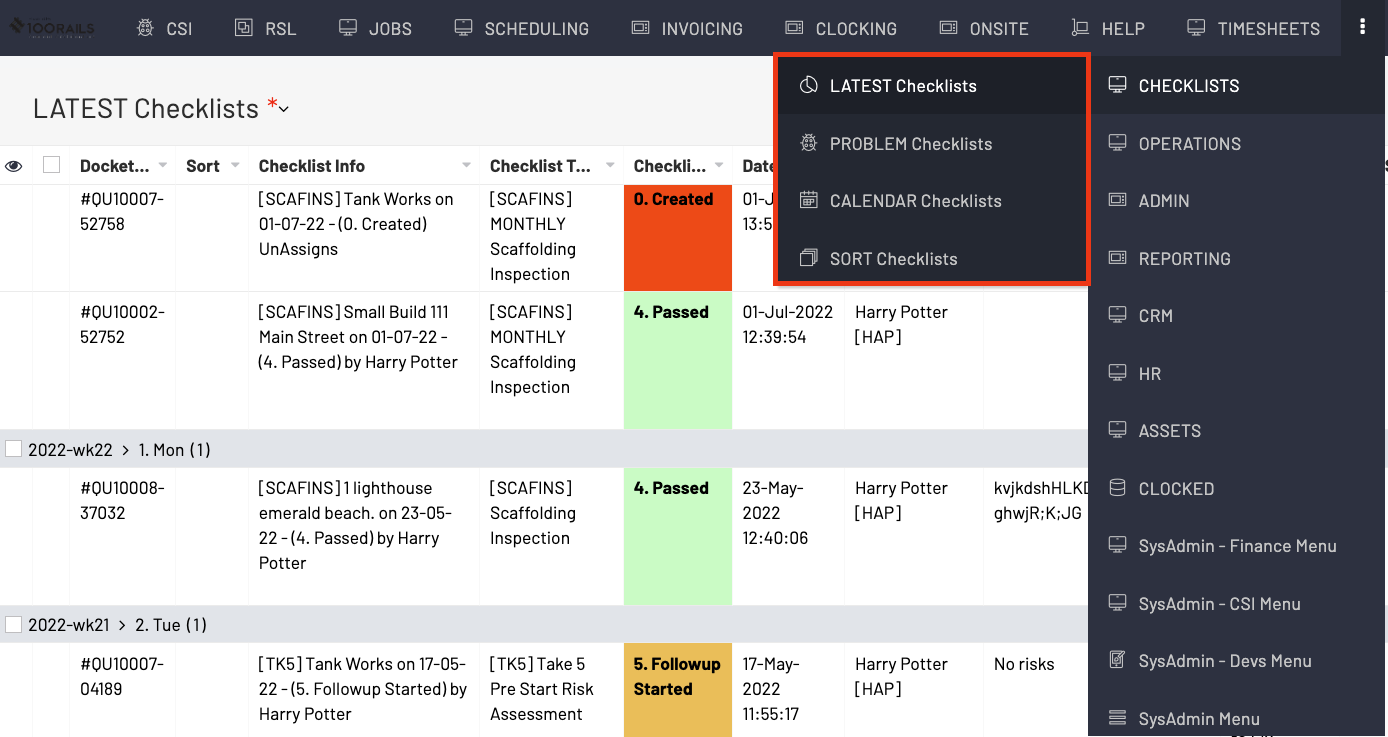
- LATEST Checklists: This displays all checklists done to date
- PROBLEM Checklists: This displays all checklists that have issues and need to be resolved
- CALENDAR Checklists: This shows checklists done to date in the calendar format and for managing inspections. To know more about inspections go to the related help doc *CHECKLISTS: Managing Repeating Checklists in the Office
- SORT Checklists: This view helps you sort inspections to staff members. To know more about inspections go to the related help doc *CHECKLISTS: Managing Repeating Checklists in the Office
NB. FROM anyone of these reports simply RIGHT CLICK on the checklist you want to view and select the "VIEW Checklist" option. (see and example below)

TO VIEW IN QUOTES/JOB MENU:
1. JOBS
2. Search for job required
3. Right click and View Checklist
NOTE: if your job has several checklist Right click on the checklist required and View checklist
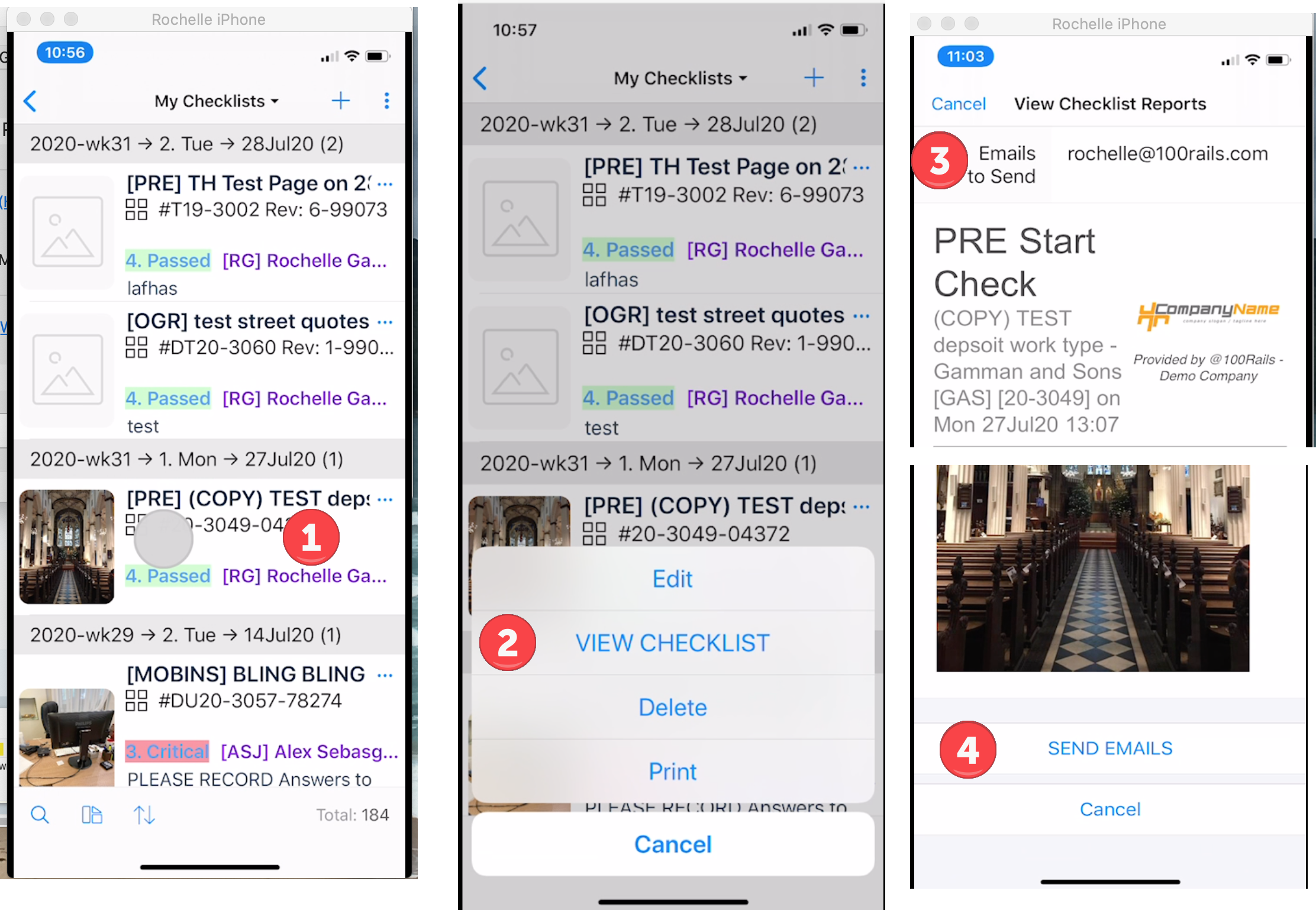
TO VIEW FROM PHONE OR TABLET:
In the OnSite Menu...
My Checklists
1. Push and hold Checklist required
2. View Checklist
3. Add/Confirm email address to whom Checklist is going to
4. Scroll to bottom and Click Send Emails