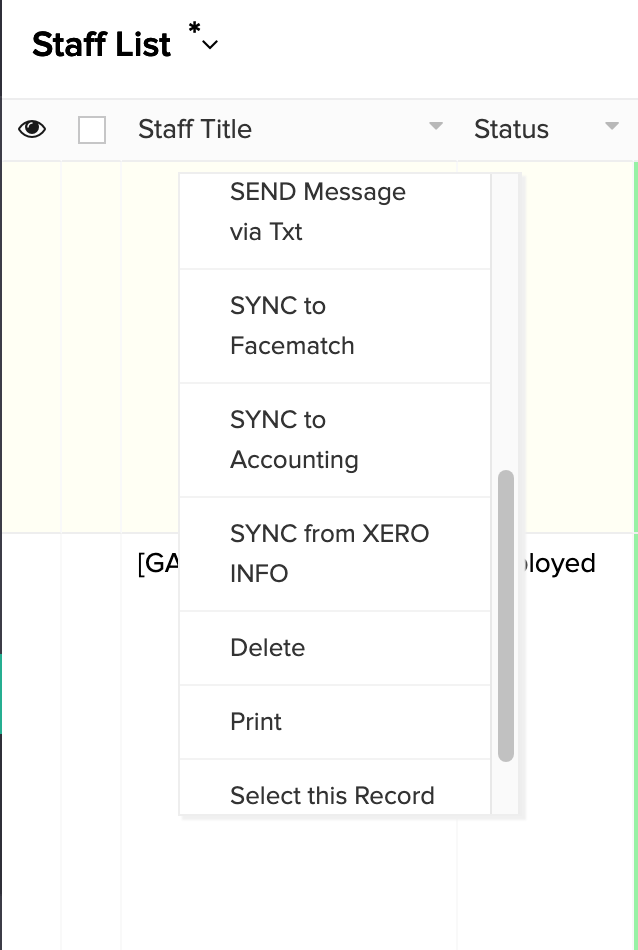
*HR: Staff List (Active Only) - The Right Click
OVERVIEW:
As like in all screens the right click is a wonderful tool in the HR Menu.
Edit: Takes you into the staff member so you can edit/add any details
View Record: Gives you an quick overview of the staff member
Set Security: If you have done any changes, this will instantly give the staff member the securities you have just allocated/changed
Set Pin Number: This is for the clock in/out feature and this will randomly choose the pin number automatically
Send Induction email: This sends an induction email to your employee who can fill in the required fields and send back which will auto update in scaflog
Send Pin Via Text: This will send the pin number to employee for clock in/out feature
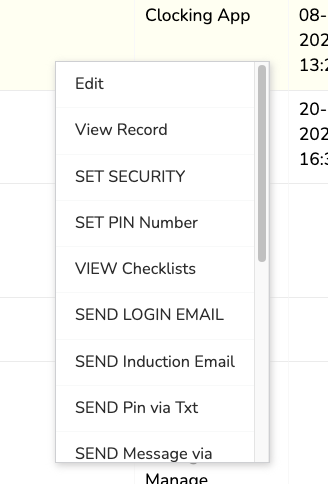
Send Message Via Text: This will send a text message to the employee, NOTE: your company must be set up to use this function
Sync to Facematch: This is for the Clock in/Out function. This will facematch for when clocking in/out
Sync to accounting: DO NOT USE
Sync from Xero Info: This is for the Payroll sync for employees from Xero to Scaflog
Create 100email.co email: This creates the 100email.co email address and inbox (see related article for this)
View Checklists: You can view checklists that this staff member has completed
Delete: DO NOT USE as you can set their status to Finished if they don't work for you and that action moves them to the Staff List (All)
Print: If you want to print out you can