*MISC: Reviewing the Job Audit via right click
OVERVIEW:
The AUDIT is found by right clicking on the Job in the JOBS/Latests Jobs menu option
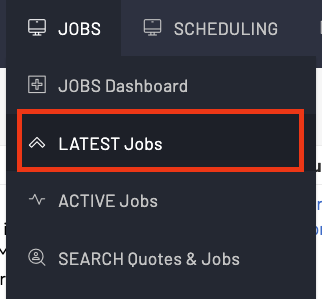
Find the job that you want to view the audit on.
Right click on that job and then scroll down the right click menu to the VIEW AUDIT option.
Not ALL FIELDS are audited. The list of fields audited are listed below
AUDITED FIELDS:
Fields Audit in Jobs:
- Job Reference
- Client
- Job Stage
- Work site Address
- Est Start Date
- Quote Manager
- Job Manager
- Service Location
- Client PO
- Work Comments
- Work safe Status
- Comments at Measureup
- One Off Subtotal
- Hire Subtotal
- Job Summary
Fields Audited for a Job in the Calendar Activities:
- Status
- Start Date
- End Date
- Done Percent
- Units Done
- Men Required
- Men Allocated
- Team Leader
- The Team
- Work Notes
EXAMPLE OF THE AUDIT REPORT:
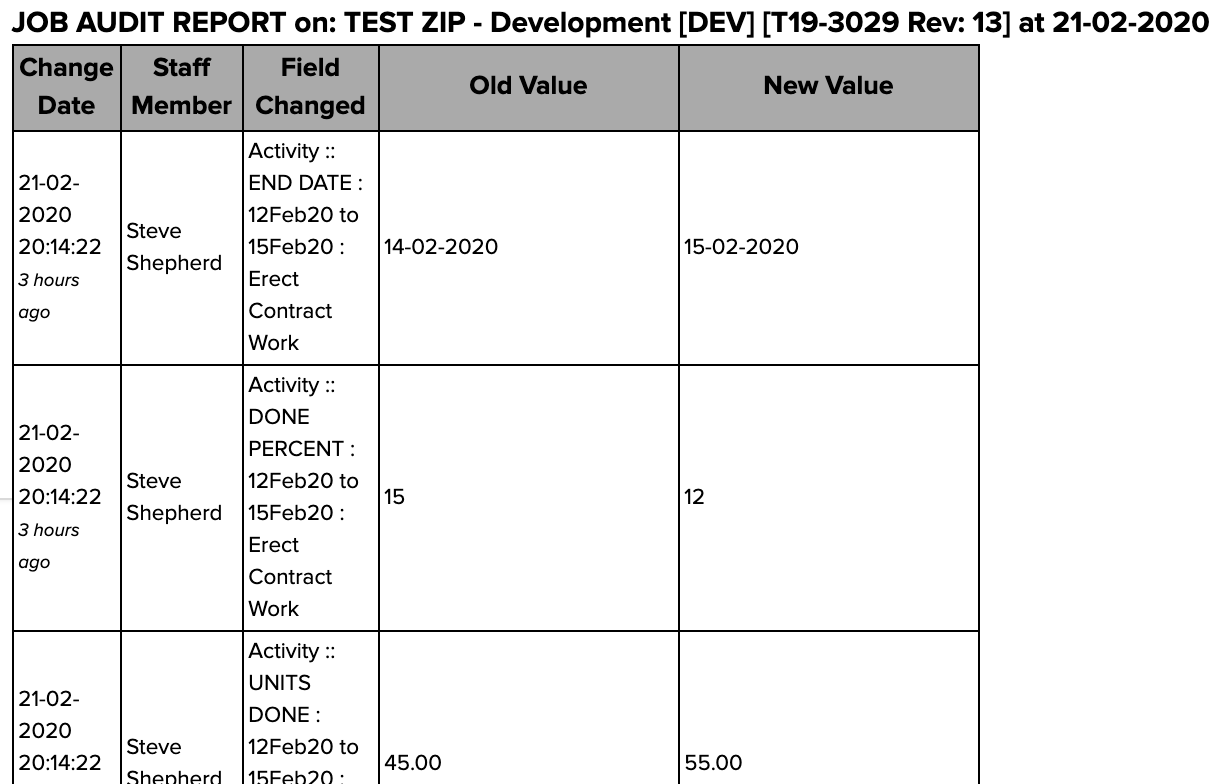
For very large jobs with a lot of activity you can also use the Reporting Menu to view the job audit. See related articles.