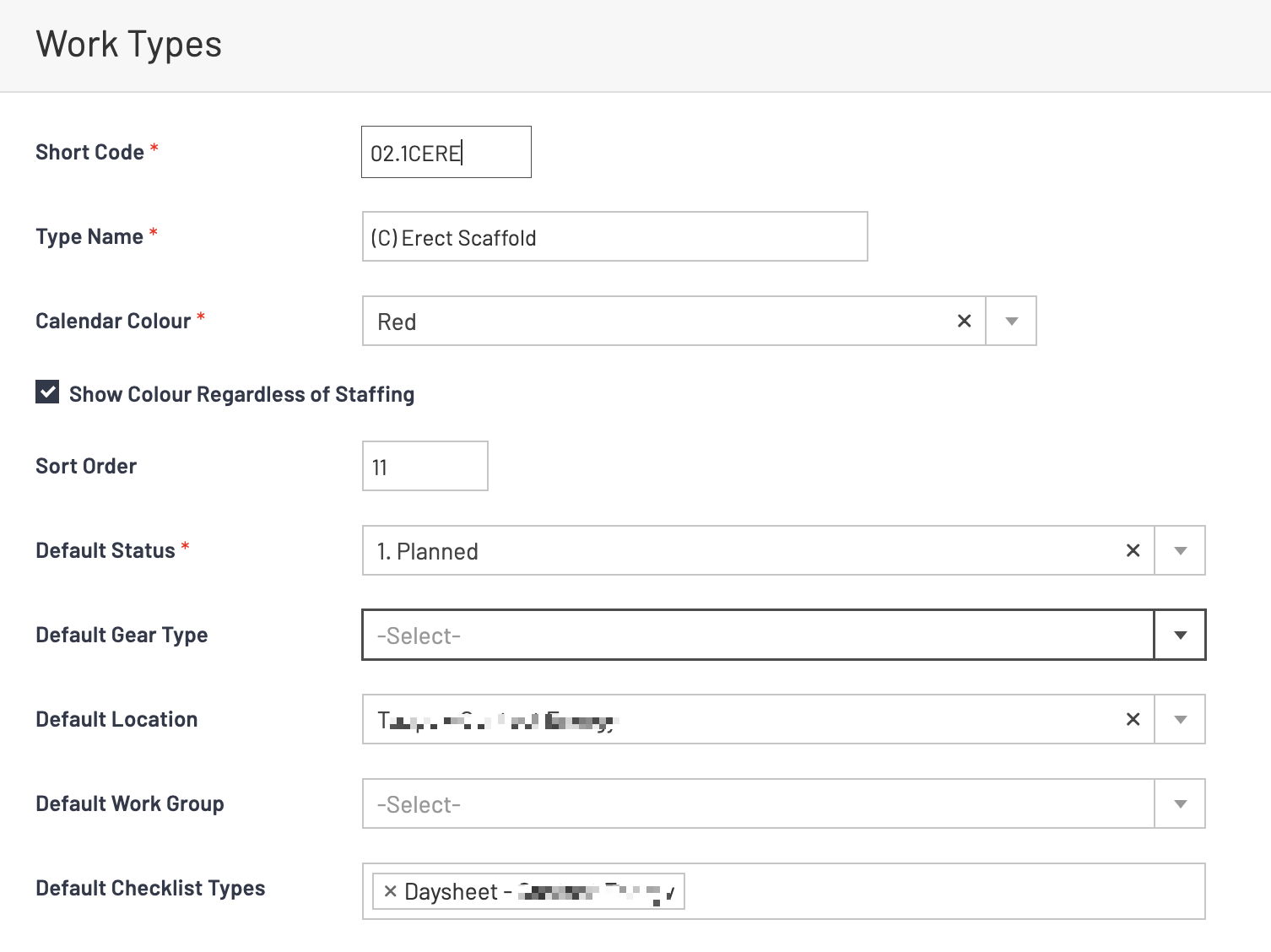
Creating a Checklist / Daysheet / Dayworks from the Calendar or Pre Invoicing
OVERVIEW:
This facility will allow you to right-click on any calendar entry and create a checklist for use as a Daysheet, Jobsheet, or DayWorks sheet, as needed.
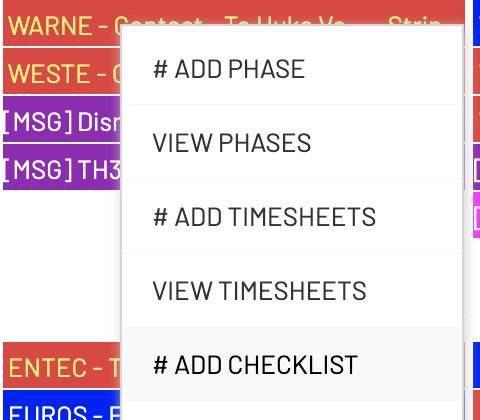
When you select the #ADD CHECKLIST option, the system will:
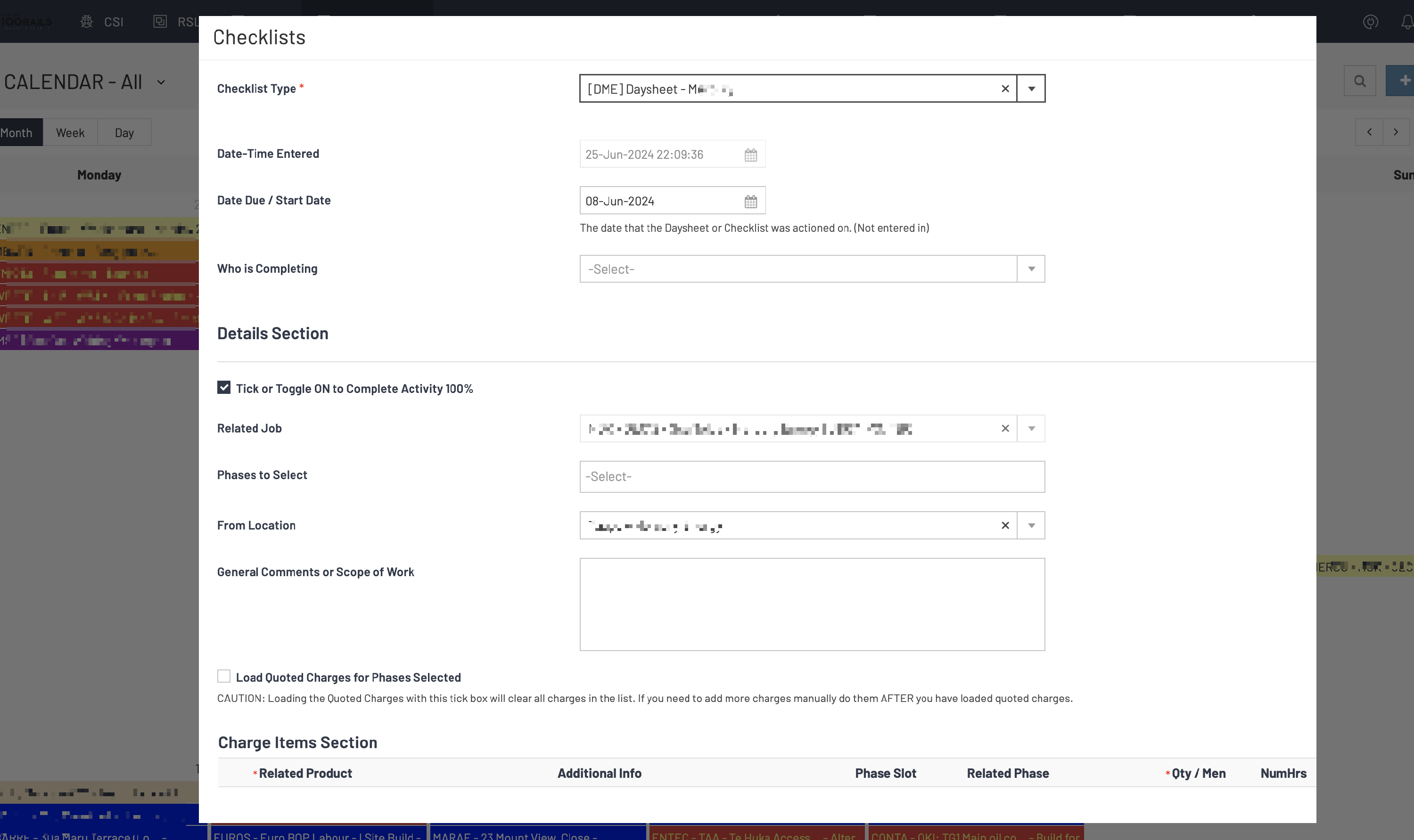
- Transmit the Activity details to the checklist from the entry you selected in the Calendar or Pre-Invoicing.
- Transmit the Job details to the checklist.
- Transmit the Start date from the activity to the Date Due in the Checklist.
- Transmit the Default Checklist type from the Work Type on the activity to the checklist.
The checklist will be filled out like below:
SETUP:
You have the option to configure the Activity Work Types to automatically generate a Checklist when utilizing the right-click function. This setting can be located at the following location:
https://creatorapp.zoho.com/100rails/goscaffold/#Report:Work_Types_List