How to UPLOAD PHASES into an existing job using CSV file
OVERVIEW:
Often times a company may use a SPREADSHEET to work out all the PHASES and CHARGEABLE LINE ITEMS to be used on a Job. These spreadsheets normally have many complicated calculations and Scaflog is NOT trying to replace this.
What we provide is a standard method for you to UPLOAD this information from the spreadsheet to SAVE TYPING the information manually into Scaflog and Improve the ACCURACY of figures that can be simply transferred across into the Quotes and Jobs in Scaflog.
NB. To enquire about this function please contact support@100rails.com
HOW TO IMPORT the PHASE CSV:
Note: The job must already exist.
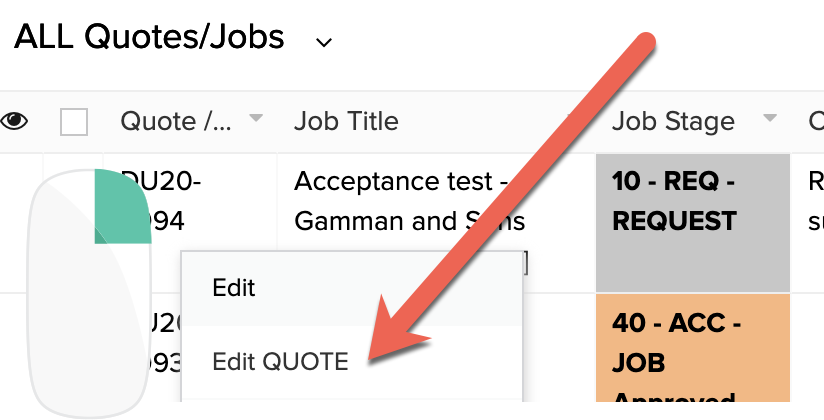
A. Go to the EDIT QUOTE option on the RIGHT CLICK Menu of the All Quotes and Jobs menu
B. Click the IMPORT PHASES button

C. Now we move into the options for IMPORTING

C.1 This summary show what PHASES are already on this Quote/Job
C.2 This is the PHASE NUMBER that you should start the numbering of the newly imported phases from
C.3 What is the MAIN column delimiter for importing the CSV file. In MOST cases is will be a comma (,) but some CSV files may use a semicolon (;) or a pipe character (|). Simply adjust this to match the file you are importing. SEE BELOW for the FILE FORMAT
C.4 Click the UPLOAD button and search for the file to upload the Phases and Line Items to the system.
C.5 Click the SUBMIT button after you selected the File and the import will be complete.