1. How to SETUP Gear and Inventory Tracking
OVERVIEW:
This section contains the settings that must be used to use the system's Gear and Inventory Modules.
The Gear module has different settings for Gear Types. Any list of gear in the system is attached to one of these Gear Types. The gear types include:
- Booked - means the Gear item or Product item is planned to be used on a Job and planned to be removed from the stock on hand at a location
- Delivered - means the gear has been sent to a Job site
- Installed - means the gear has been installed from a Job site to a phase (NB. this is optional and only recommended for large companies that keep stock on hand levels at large job sites)
- Dismantled - means the gear has been removed from a phase and is now just onsite.
- Returned - means the gear has been confirmed as sent back to the yard location.
- JobAudit - allows you to stock take a job site for the qty on hand as at a certain date.
- LocationAudit - allows you to stock take a location yard qty on hand as at a certain date. (NB. This must be done before starting the Gear module or qty's will go into the negative at the yards)
- LocationTfr - allows the transfer of stock qty from from location to another.
COMPANY DATA SETUP:
To setup this option the GEAR LIST option in the Company Data setup must be configured as below:
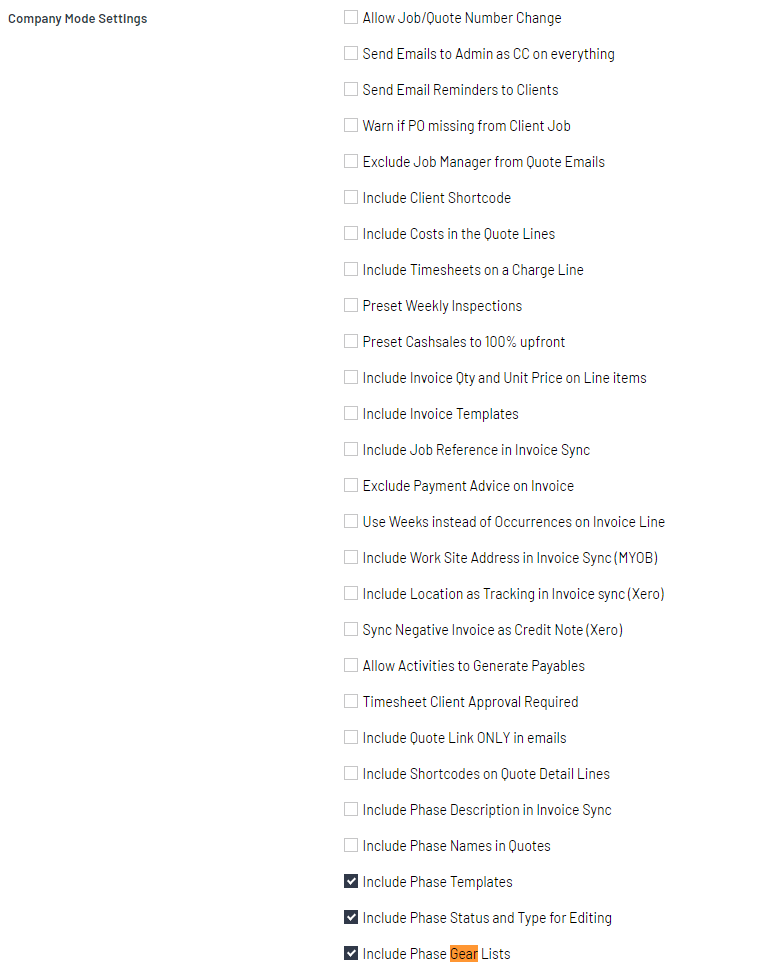
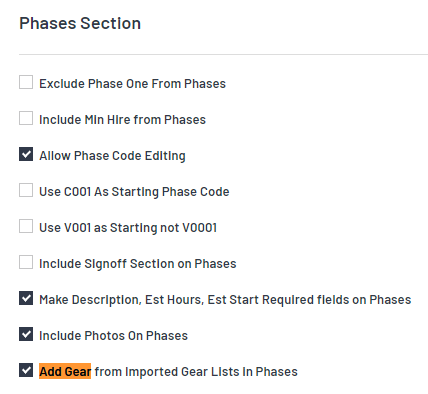
SETTING UP THE WORK TYPES:
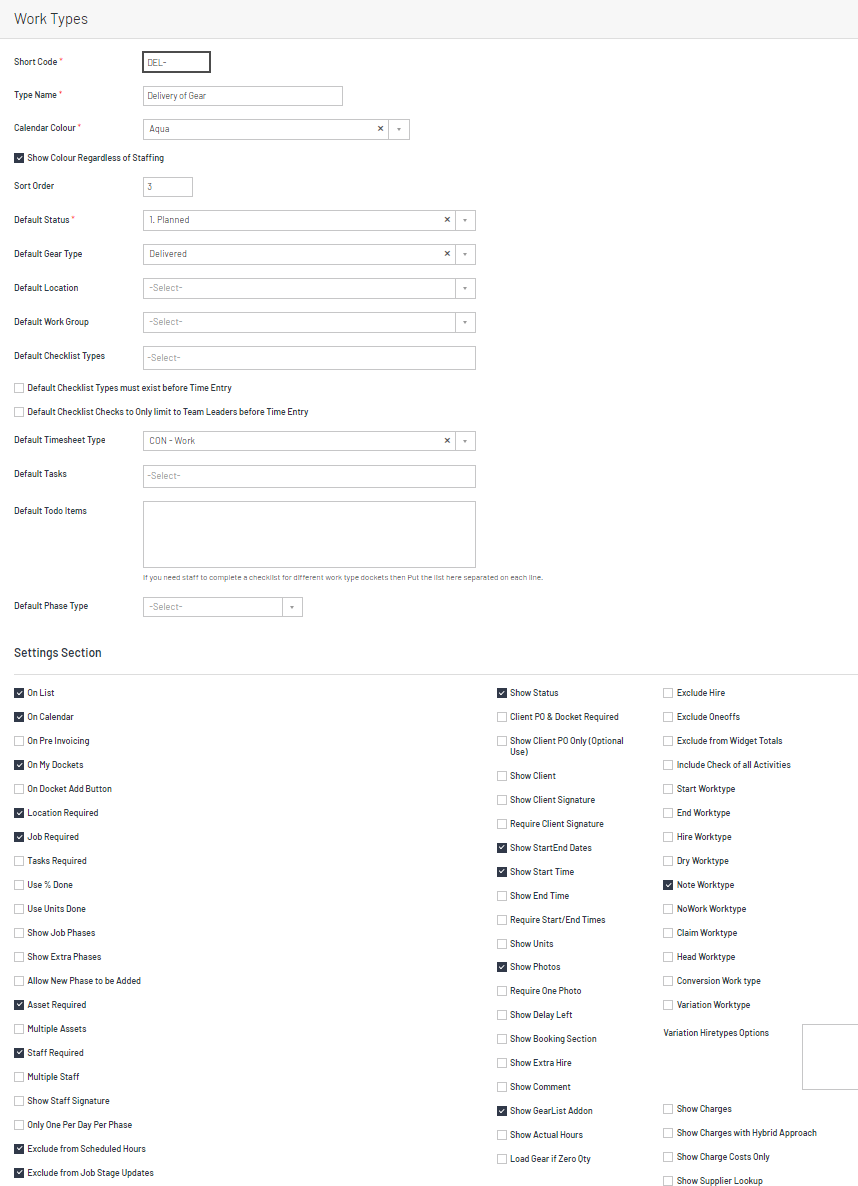
Below is a typical screenshot example of a DELIVERY Work type for the calendar
NOTE: The default gear type must be set, and the Show Gear List add-on must also be required.
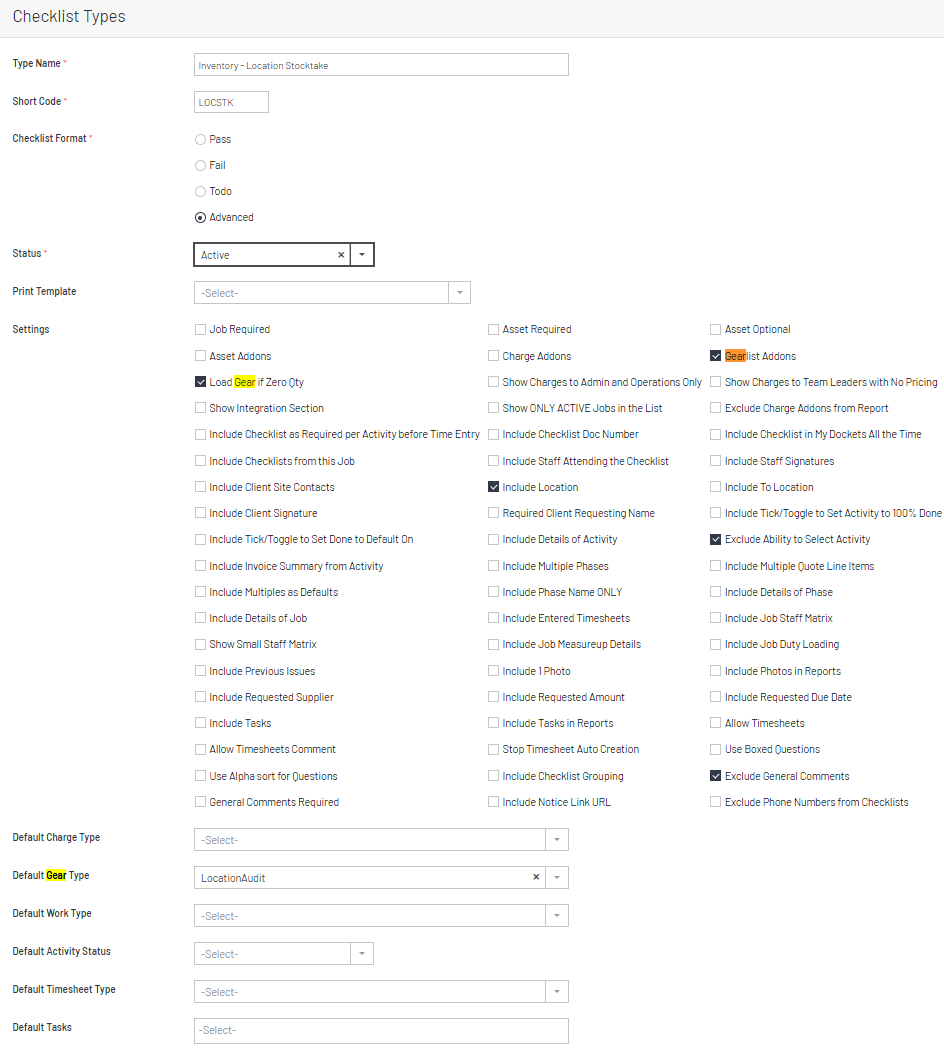
SETTING UP THE CHECKLIST TYPES:
Below is a typical screenshot example of a STOCKTAKE Checklist that is used to set the starting Quantities for a Gear List product item.