*CHECKLISTS: How do I see the attachments and photos for a Checklist
TO VIEW THE ATTACHED FILES ON A CHECKLIST:
1. Search for the Checklist in the LATEST Checklists report: https://creatorapp.zoho.com/100rails/goscaffold#Report:LATEST_Checklists
2. You can view ANY attachments to the checklist by left-clicking the checklist and then clicking the PDF slot you want to review (like below)
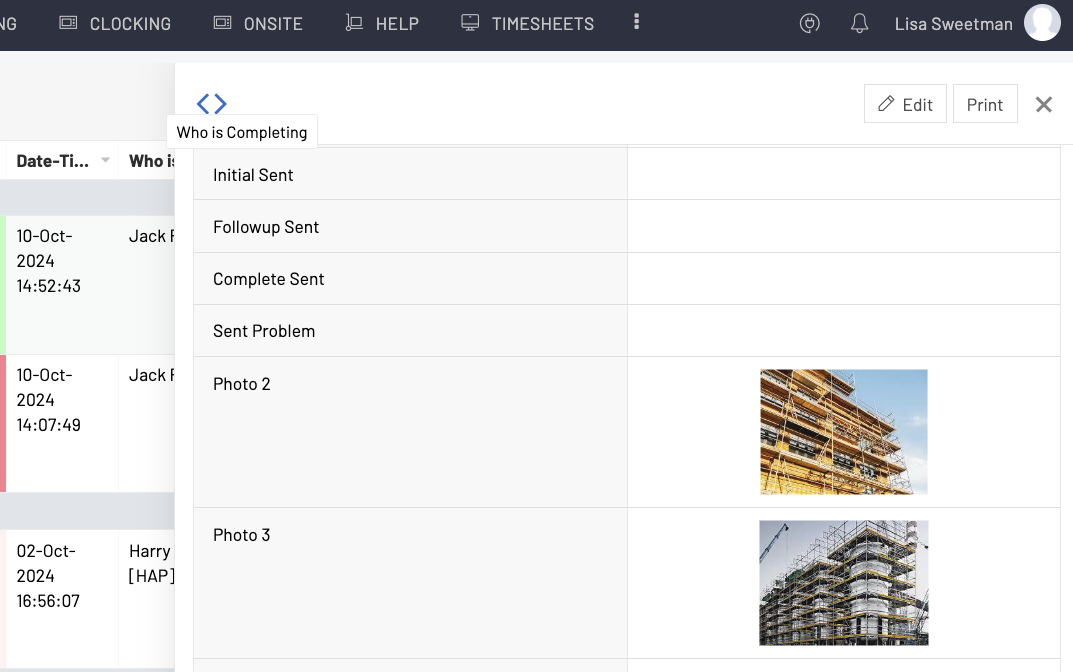
TO VIEW THE CHECKLIST AND PHOTOS
1. Search for the Checklist in the LATEST Checklists report: https://creatorapp.zoho.com/100rails/goscaffold#Report:LATEST_Checklists
- RIGHT CLICK and select the VIEW CHECKLIST from the menu