*MISC: Allow Popups
OVERVIEW:
At times we will need to open NEW WINDOWS and browser links.
The following links need to be setup in the popup blocker area:
https://creatorapp.zoho.com
https://writer.zoho.com
https://creatorapp.zohopublic.com
CHROME and MS EDGE
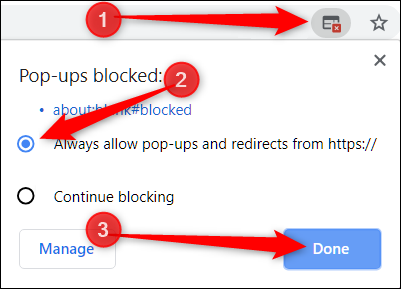
If you are using the Chrome browser then when you click the PREVIEW or PRINT or EDIT QUOTE on a Quote or Invoice the system may stop the NEW webpage tab from opening.
Below is a screenshot of what it looks like on the browser:
 You select the ALWAYS allow popups from ...... and click DONE
Then retry the PREVIEW or PRINT
SAFARI (please note we do not recommend Safari Browser for Scaflog use)
Block or Allow All Websites by Default
- Select “Safari” > “Preferences“, then select on “Websites” at the top of the window.
- Select “Pop-up Windows” on the left side.
- Use the “When visiting other websites” drop-down menu to one of the following:
- Block and Notify
- Block
- Allow
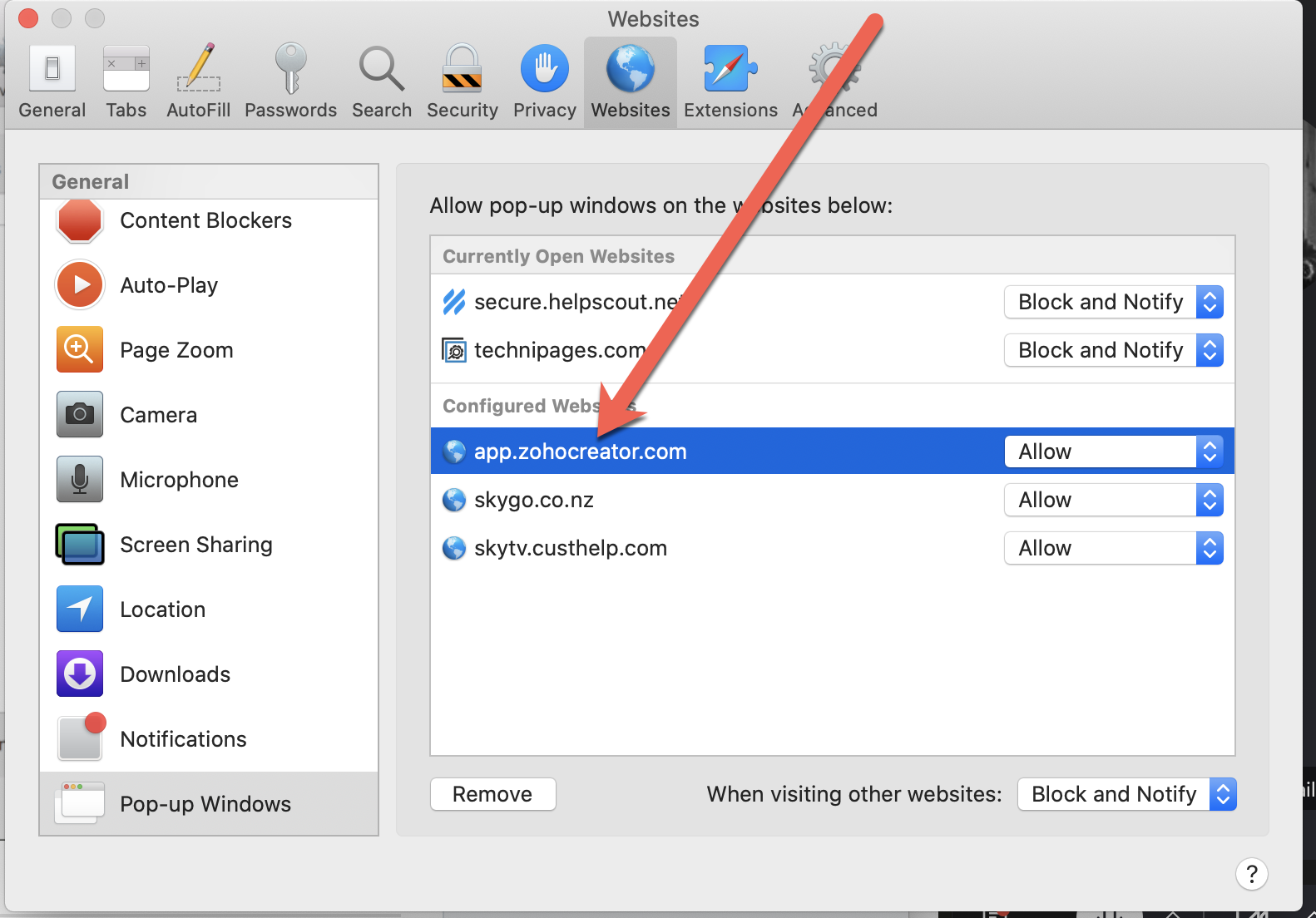
Block or Allow Single Website
- Visit the website you would like to block or allow.
- Select “Safari” > “Preferences“.
- Select on “Websites” at the top of the window.
- Select “Pop-up Windows” on the left side.
- The website should be listed where you can select a setting in the drop-down menu.
- Block and Notify
- Block
- Allow
When Safari is set to “Block and Notify”, you can allow pop-up windows right after they have been blocked by selecting the two boxes in the address bar.