How to Deliver or Pickup Gear using Activity Work Types on the Calendar
OVERVIEW:
Inventory is configured through Activity types or Checklists on their relevant calendars.
Your system must be setup with all the relevant activity work types and/or checklist types so that you can select the correct gear movement types for your business.
This help article covers the Activity calendar for processing gear.
ACTIVITY CALENDAR:
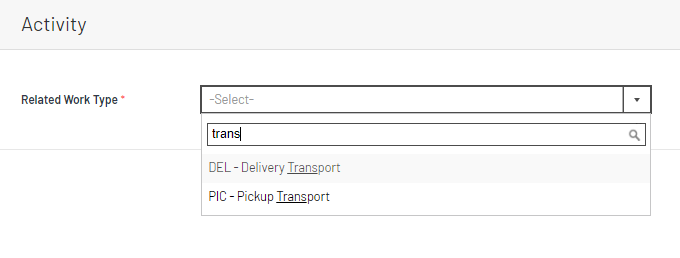
On the ACTIVITY CALENDAR you can Add an activity by clicking a date or clicking the ADD button in the top right. You then pick one of the gear or inventory work types from the dropdown.
After selecting the Job and other information, you can then update the GEAR SECTION.
1. You can LOAD PHASES that have gear requirements booked against them. You can select multiple phases to load in one go. Also you can specify a % of the gear to load, for example you may decide that you are only delivering 50% of the gear on a truck , so by entering 50% in the box indicated below the system will ONLY LOAD 50% of the Quantities when you click the "TICK to Load Gear Lists" checkbox
2. A Summary of Gear will appear once you have started loading gear onto this transaction. The Weight, quantity and total lines of gear will be summarised for THIS TRANSACTION. The summary also shows what was booked on the phase so you can see what the original total weight of the gear booking for a phase.
3. Kitsets are also useful for loading gear deliveries or pickups. By configuring products that have components in their setup you can load a whole range of gear in ONE entry of the kitset. You can specify how many of the kitset as well and this will multiple all the quantity requirements for the sub components. Kitsets can ALSO BE USED as basic lists of gear that can be delivered or picked up, by setting the component lists with a quantity of zero the kit set simply acts as a default list of gear that can be adjusted by the yard man or person in charge of gear movements.
