How to Clear your Caches in Chrome
Make sure you are using a Google Chrome web browser
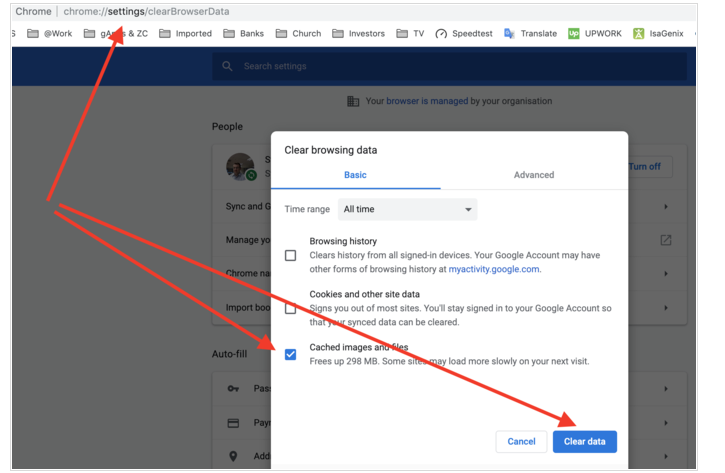
Select a new tab and click (or copy and paste into URL bar): chrome://settings/clearBrowserData
The Clear browsing data page should come up as below, ONLY tick the cached images and files tick box and then hit the "CLEAR DATA" button at the bottom right.