*INVOICING: How to raise a Credit Invoice
OVERVIEW: Sometimes we have to create a Credit Invoice.
HINT: Have relevant details ready: Invoice # credit relates to and the products that are being credited ie: Labour, rental, mesh
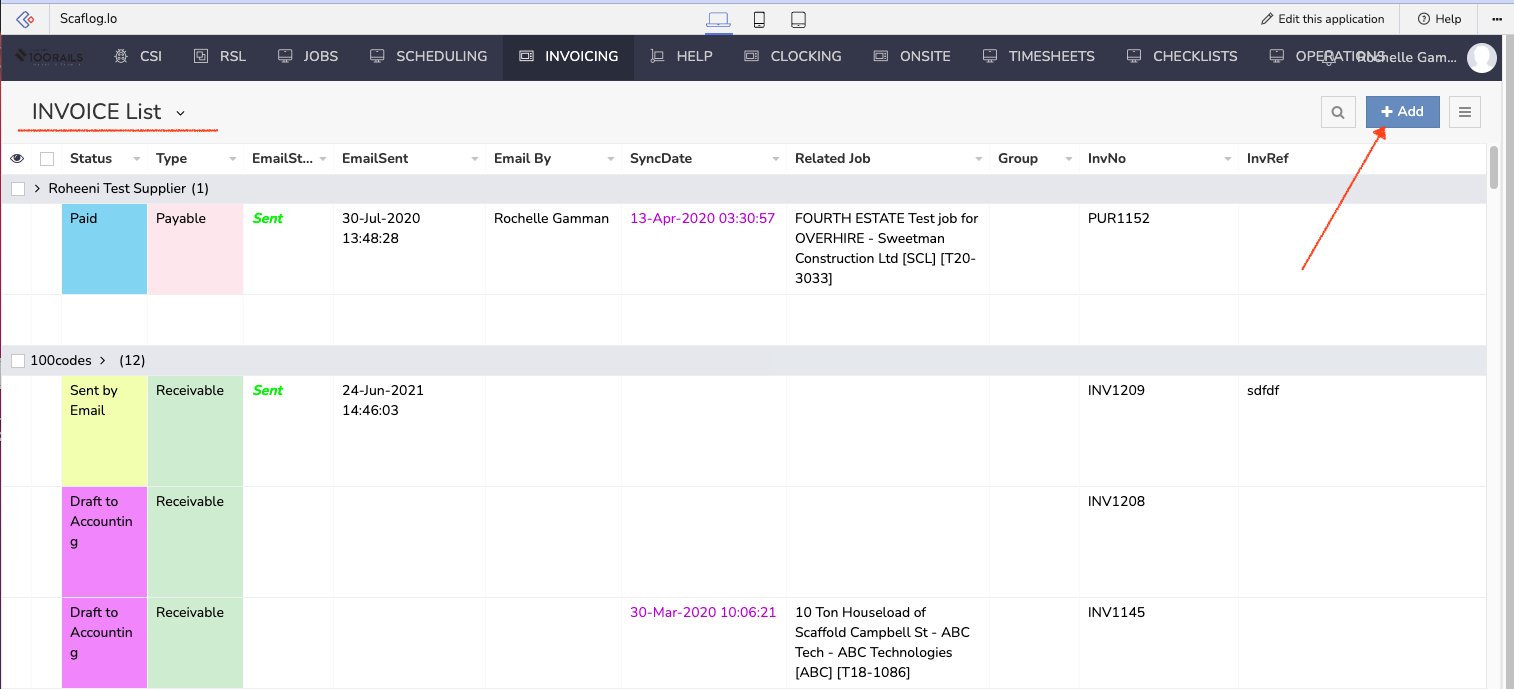
Here are the steps to do your credit.
- Go to INVOICE List
- Click the + button
This opens up to the screen where you can now create your Credit Note.
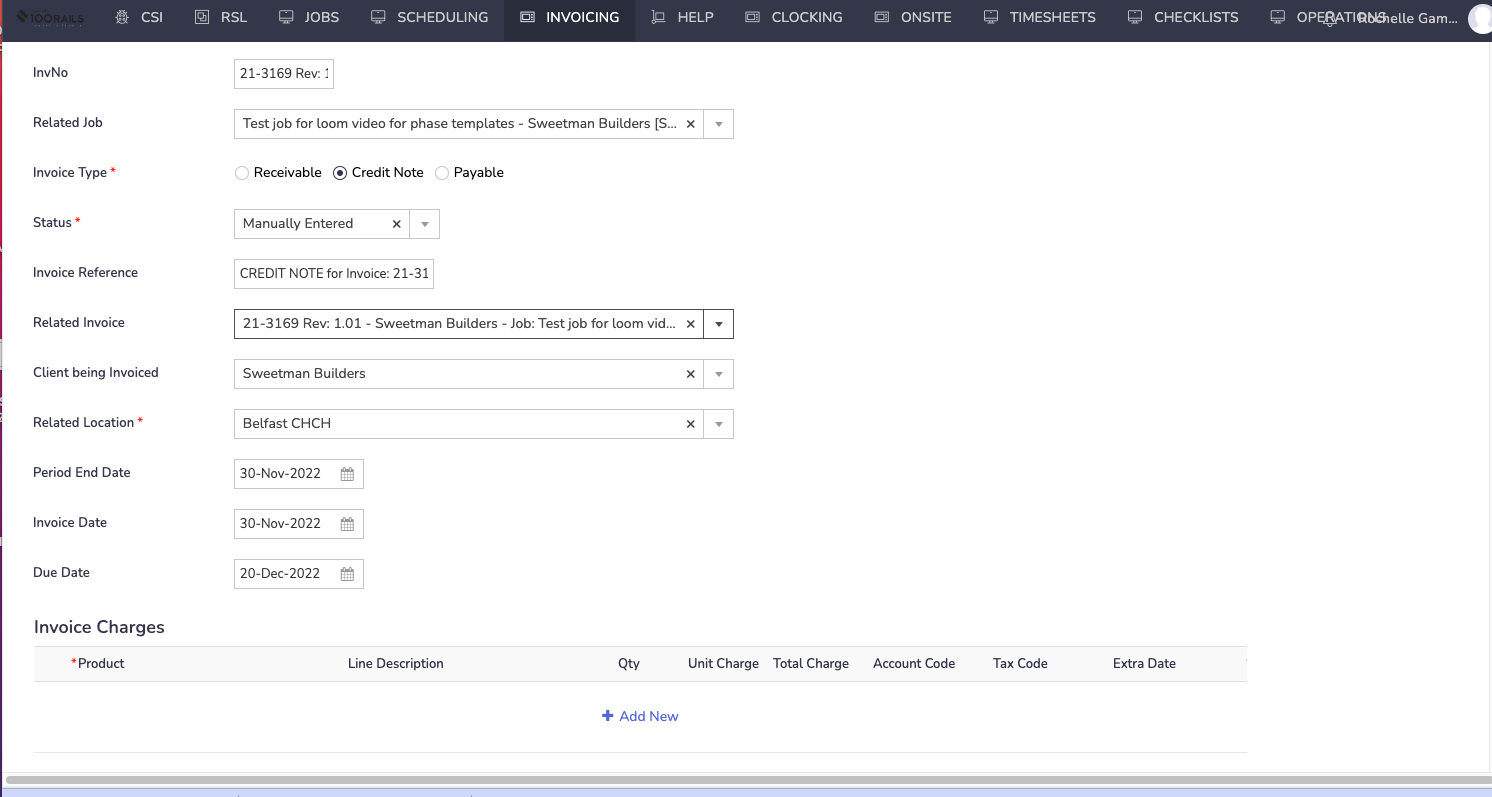
- Inv Number - This will Auto Fill
- Related Job: Choose related job or this will auto fill if you know the related invoice number
- Invoice Type: Credit Note
- Invoice Reference: Add whatever details you want the customer to see EG: Credit Labour or once you fill in related invoice this will auto fill
- Related Invoice : Once you choose the related invoice all other boxes will Auto Fill
- Dates will Auto fill dependant on Company settings, Confirm they are correct
- Check and Confirm all details are correct then move on to adding charges
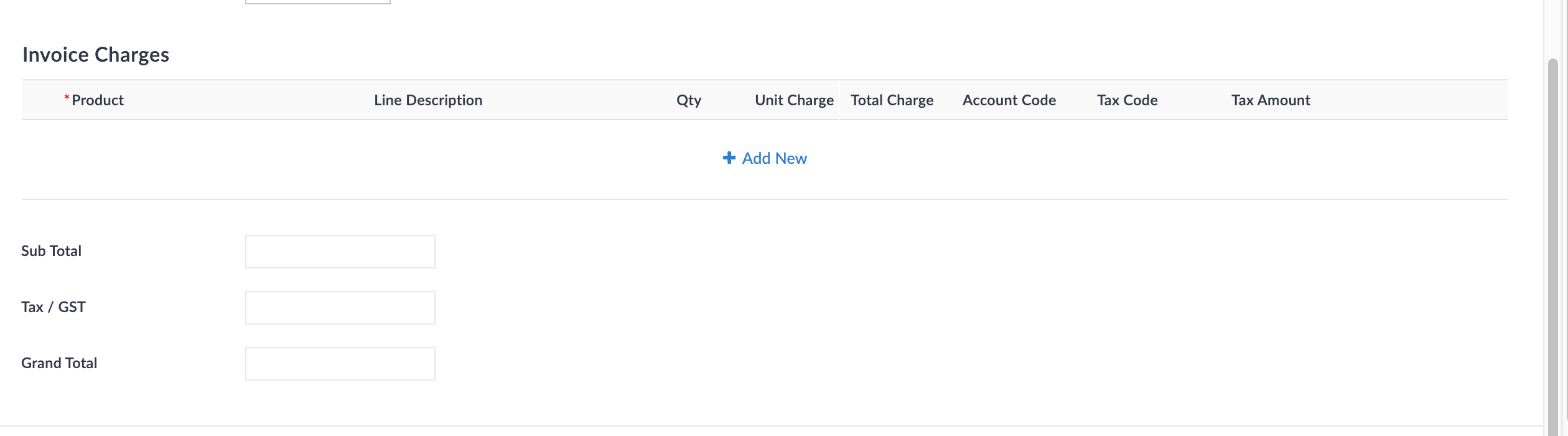
Now you can start adding the credit charges required. This will be dependant on what products YOUR company uses.
You DO NOT have to put in negative figure, the system will show the figures as negative in the subtotal, Tax/GST and Grand Total boxes
Add your charges and then push submit. You have now raised the Credit Note and this is ready to send to your customer and accounting system.