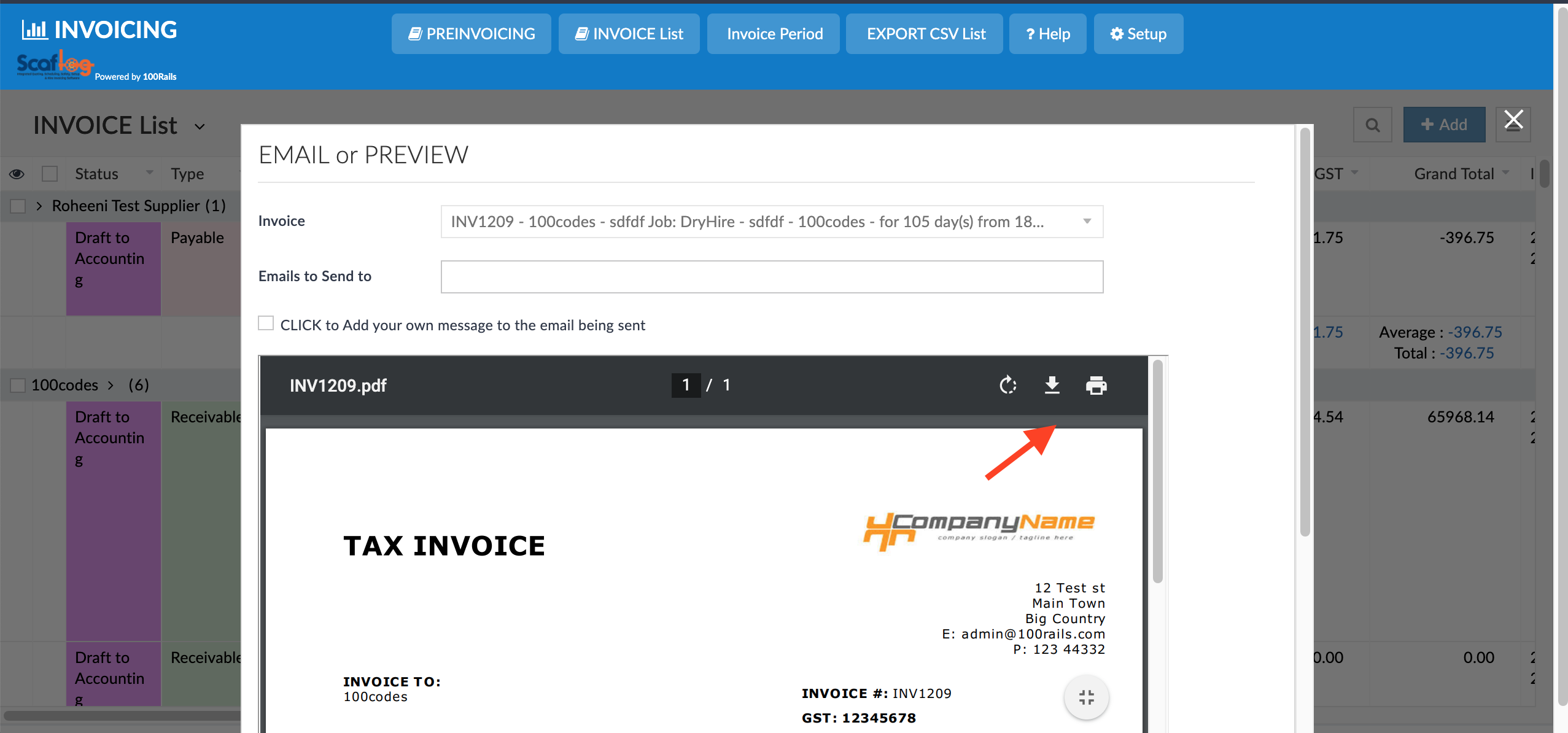
How to Print , Download or Resend an Invoice
OVERVIEW: Sometimes we need to send an invoice again to the client. This is very quick and simple.
You can either resend through Scaflog or download onto your computer as a PDF and then resend from your own email
Resend Via Scalog:
In your invoice list, find the invoice you want to resend:
Right click - select SEND INVOICE via Email - this will resend the invoice selected and will update the email sent date and time.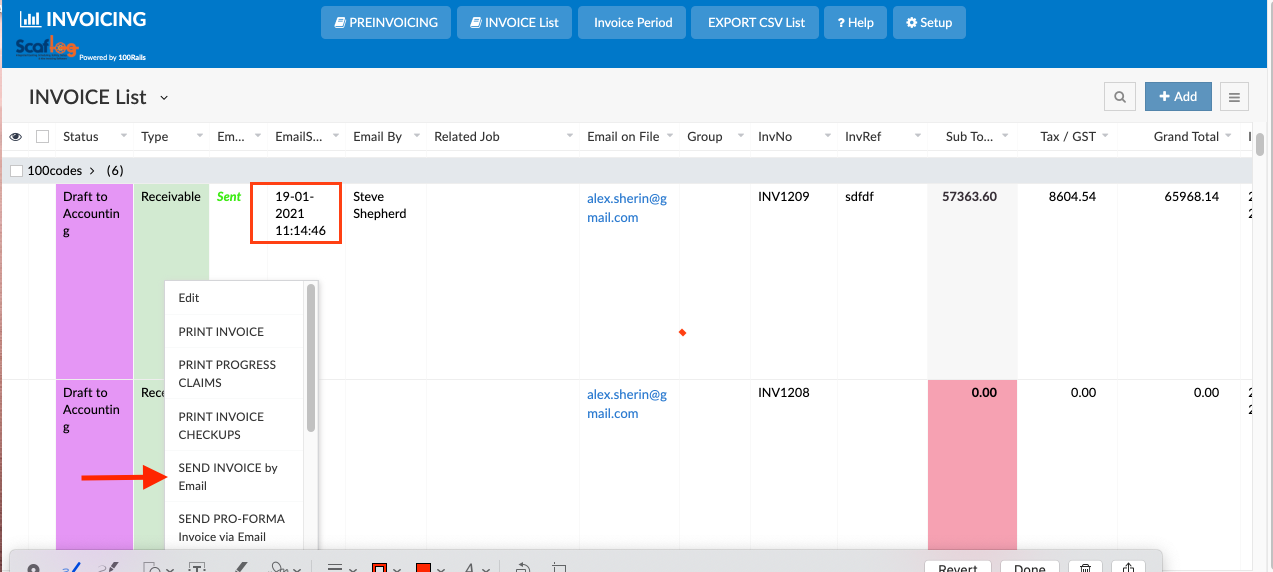
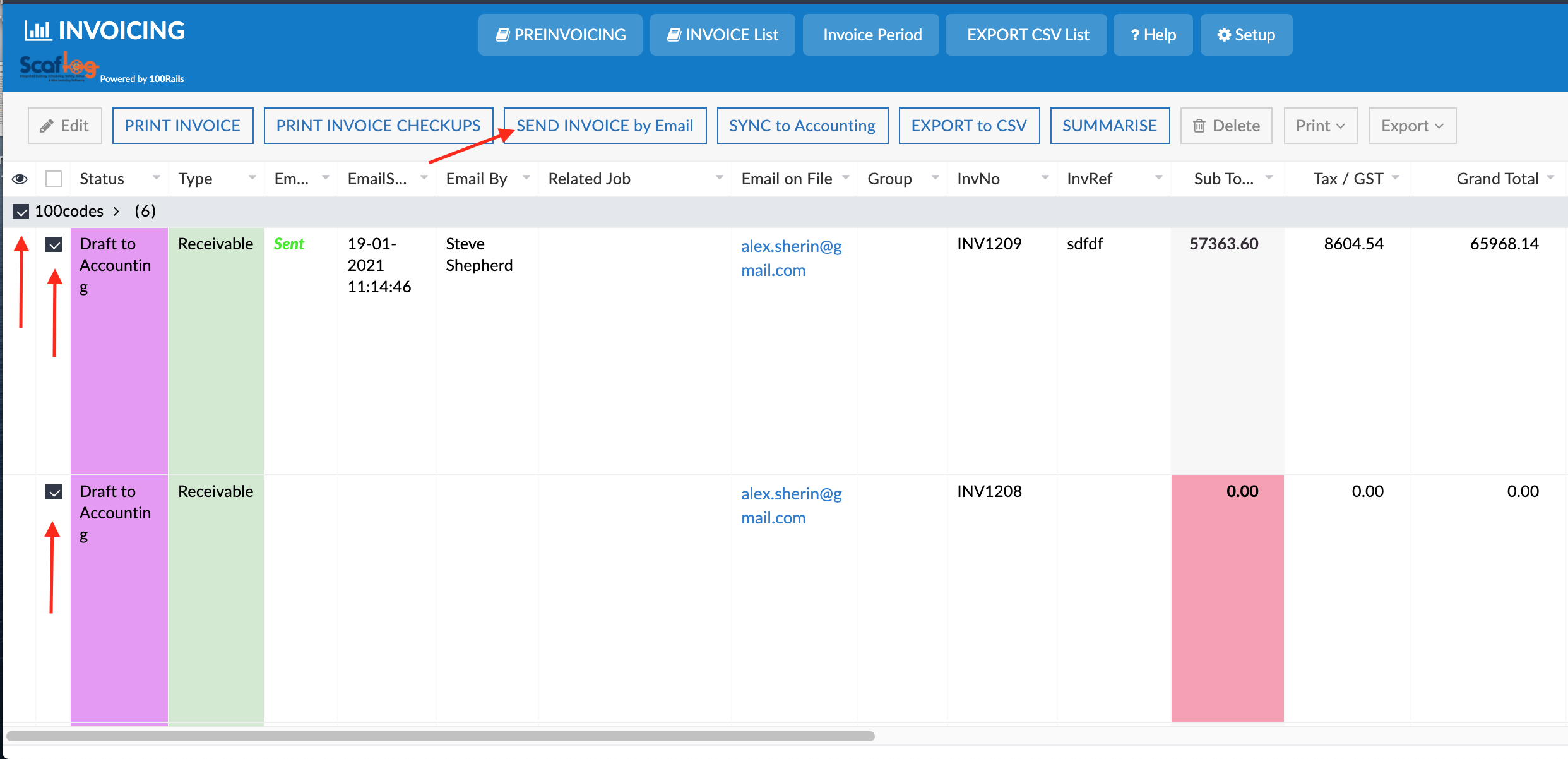
If you have a lot to resend you can tick the boxes per invoice or by client next to all the invoices and then click SEND INVOICE via Email from the menu at the top of your screen. NOTE: Don't try and send more than 10 invoices at a time.
To change to PDF or Download:
In your invoice list, find the invoice you want to PDF or download:
Right click - select SEND INVOICE via Email - this will resend the invoice selected and will update the email sent date and time.
1: Right Click and click Print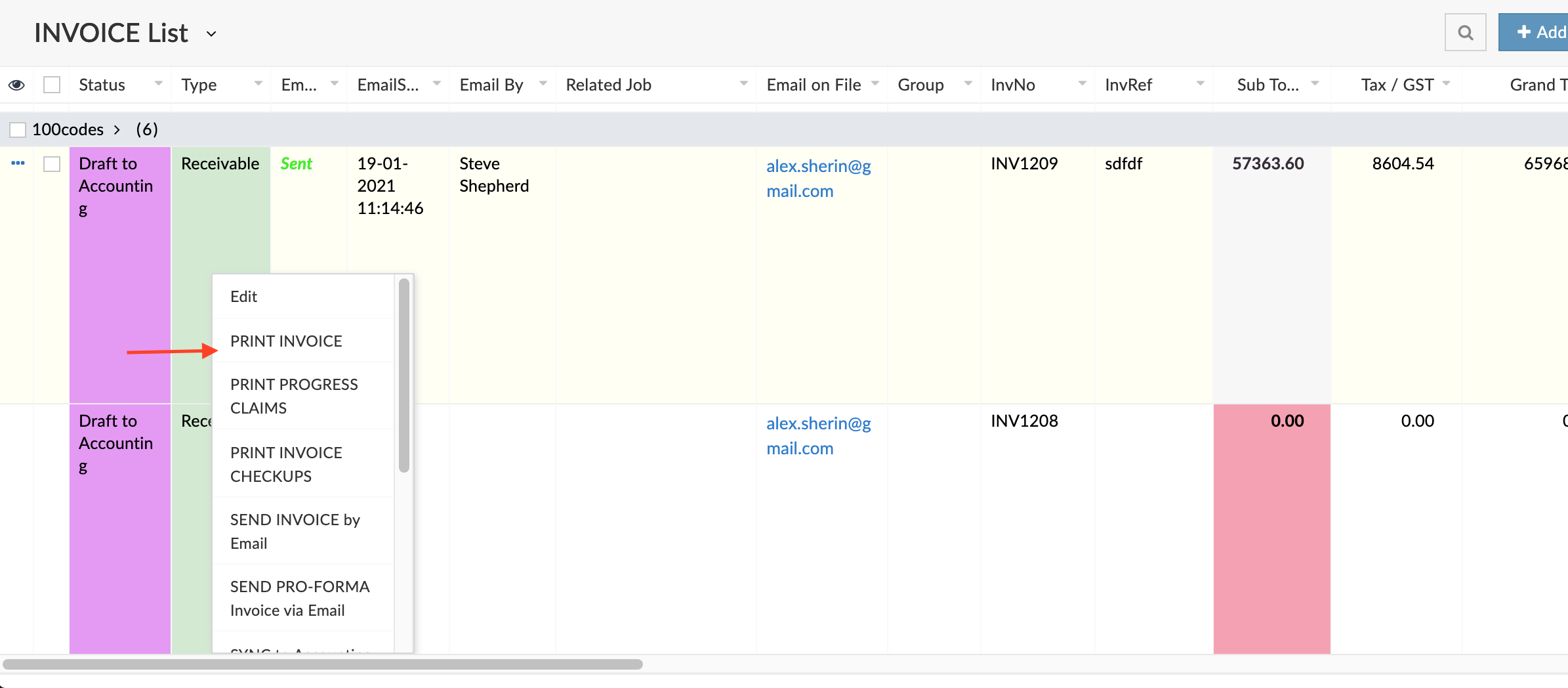
This will open up an overlay window where you can now either print or download your invoice.