*SCHEDULING: Adding a note/reminder to appear when scheduling
OVERVIEW:
The function to see a reminder note when scheduling a job is a welcome feature for many.
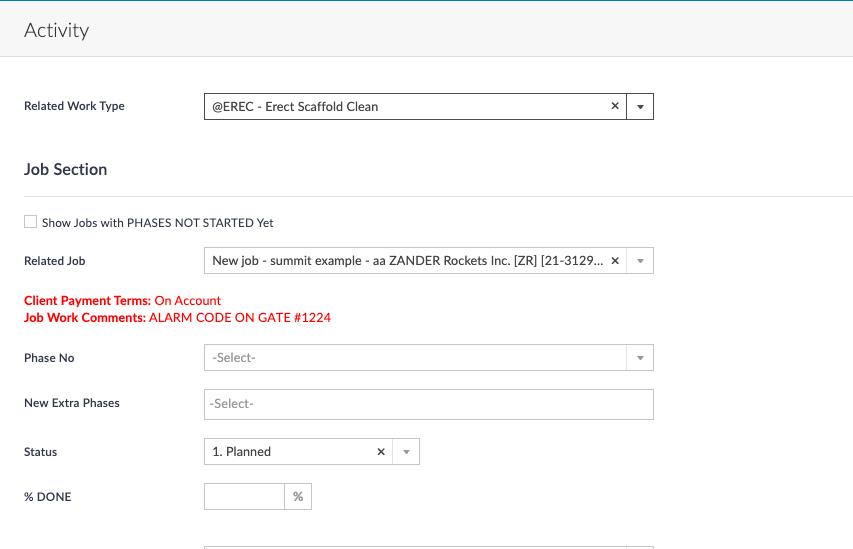
The internal work comment from the main job info will show up when scheduling the activity in (inside the activity in RED.
Below is how this feature works. If you would like this to be added to your system please contact support to have this turned on at support@100rails.com.
HOW THIS WORKS:
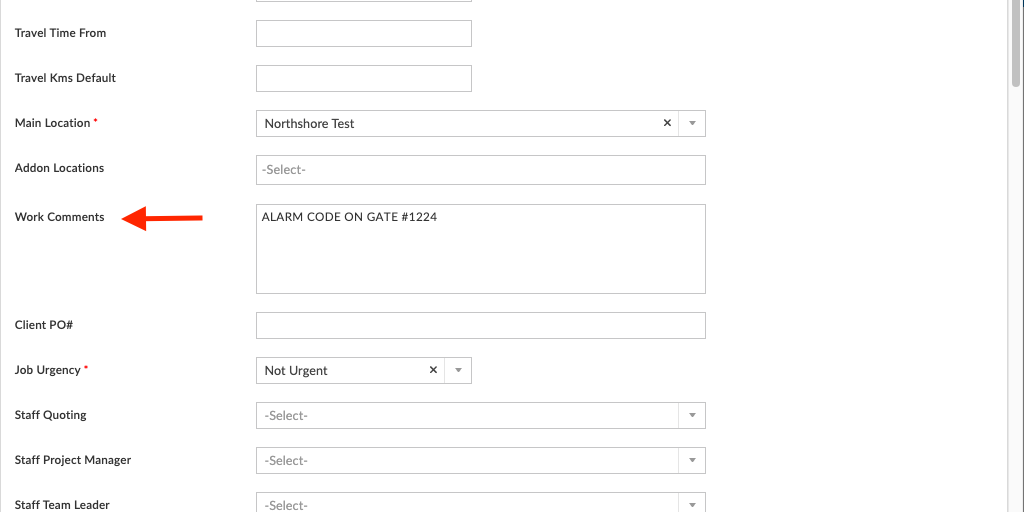
In Latest Jobs list - EDIT (1st part of quote) you have the Work Comments box, add your notes/reminder in here (Remember these notes also go onto the job Pack and will show on ALL work activities in the schedule)
Then when you schedule the activity in your calendar your note will show in red, as a reminder/notification.