TIMESHEETS: The Right Click
THE RIGHT CLICK:
The right click will bring up some quick options for the person you are clicking on
 Edit Full Details - Will take you inside the timesheet so you can change anything
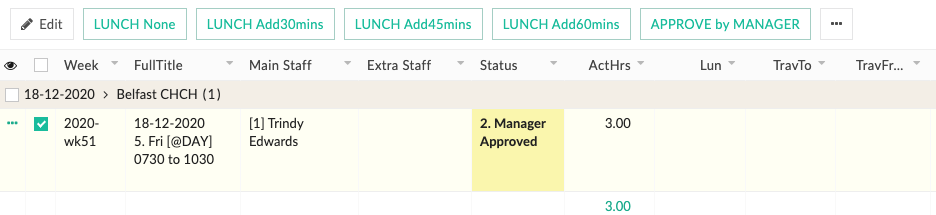
LUNCH None - will allocate No Lunch and remove any lunch break that is there
LUNCH - Add30mins,Add45mins,Add60mins - this will add the specified lunchtime chosen
APPROVE by MANAGER - Will set status to Manager Approved
VEIW PAYSUMMARY- a quick way to view your Pay Summary
VEIW Activity by Date - Takes you to Job Report where you can view all activities to date
 SUMMARISE - When you make changes and you need them to take effect immediately
Delete - Will delete timesheet
Print - Will print timesheet
Select this Record - tick the box and bring up the option Menu across the top
Deselect this Record - Will remove the tick