How to UPLOAD and IMPORT a GEAR LIST to a Phase
OVERVIEW:
Often times a company may use a CAD tool that produces a GEAR list from the drawings that were reviewed in the CAD package.
Currently we support importing GEAR LISTS from:
- Avontus Scaffold Designer
NB. Check the bottom of this article for information on setting this feature up.
HOW TO IMPORT a GEAR LIST:
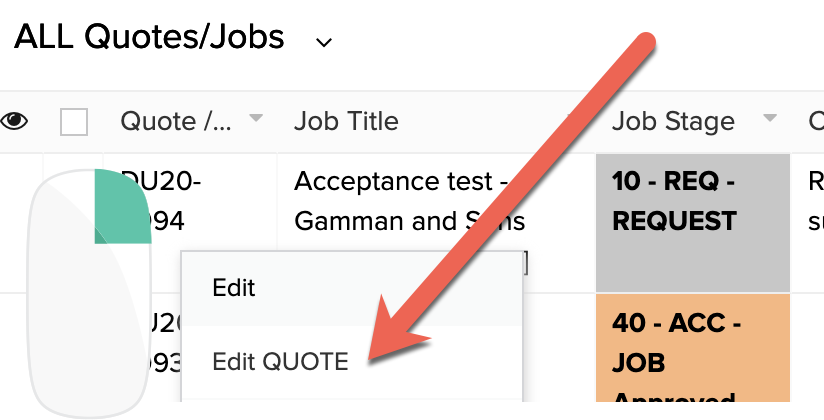
A. Go to the Quotes/Jobs list
B. RIGHT CLICK and EDIT QUOTE
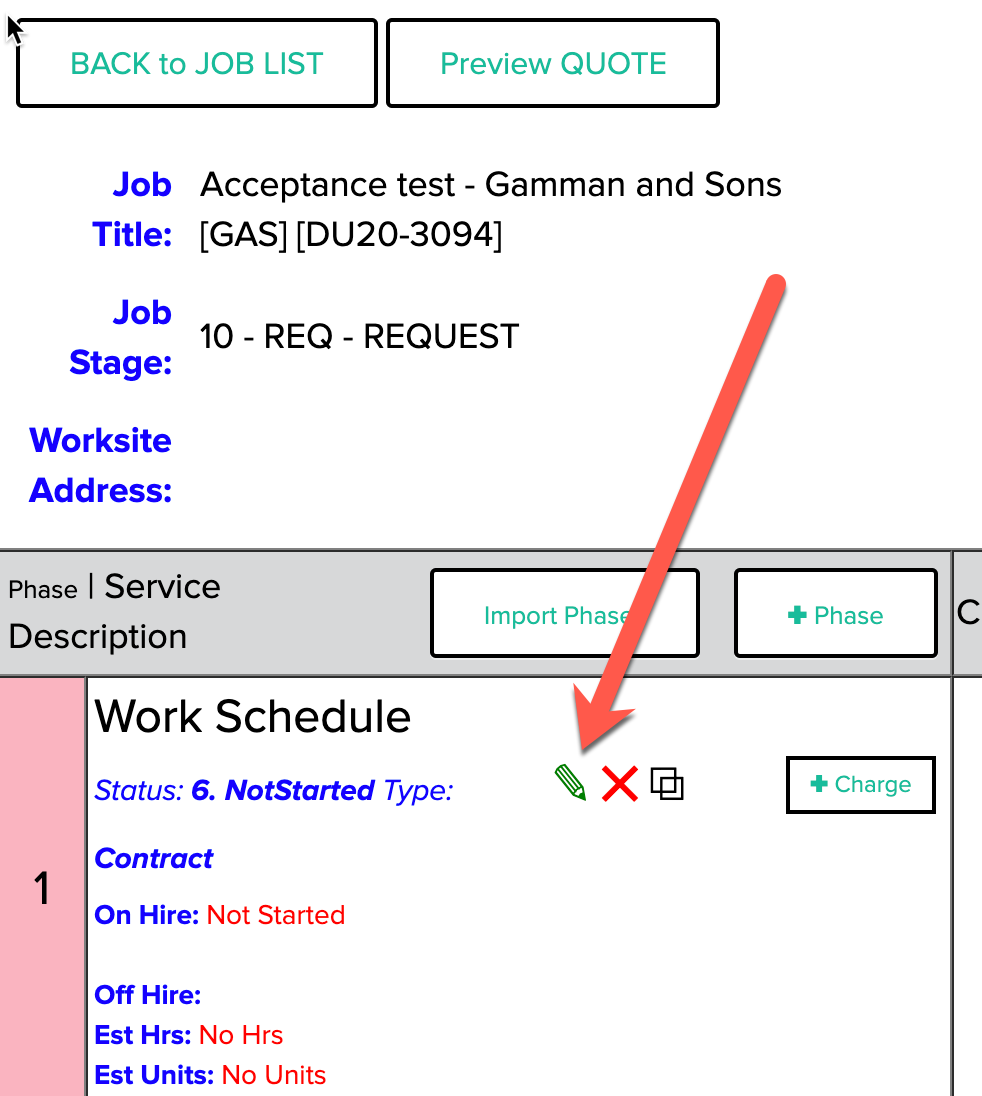
C. Use the PENCIL to EDIT a Phase
D. Scroll to the GEAR LIST SOURCE section on the Phase Form.
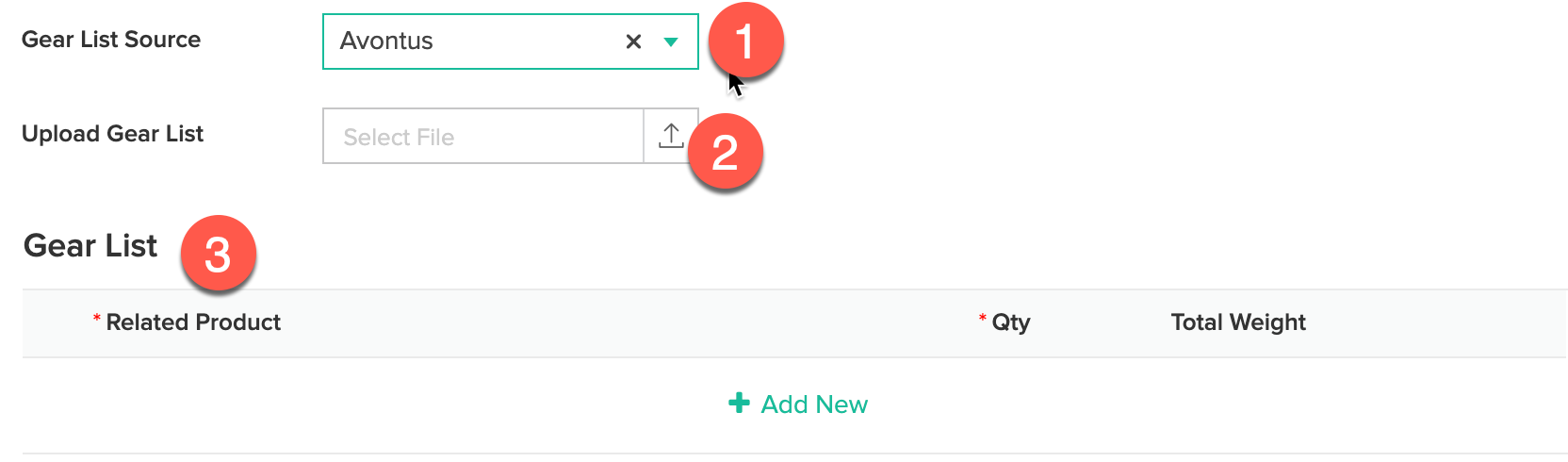
D.1. Select the TYPE of Gear List Source (at present you can select Avontus)
D.2. Click the Select File field and load the CSV from the hard drive or folder on your server
D.3. Review the Gear List for the imported Items.
FILE FORMAT SETUP (Example IMPORT FILE):
Avontus:
The standard file that is exported from Avontus has two rows at the top. The first has the file name and the second has column headings, Part No. , Description, Qty, (Blank), Modify, Total Qty, Total Weight (kg)
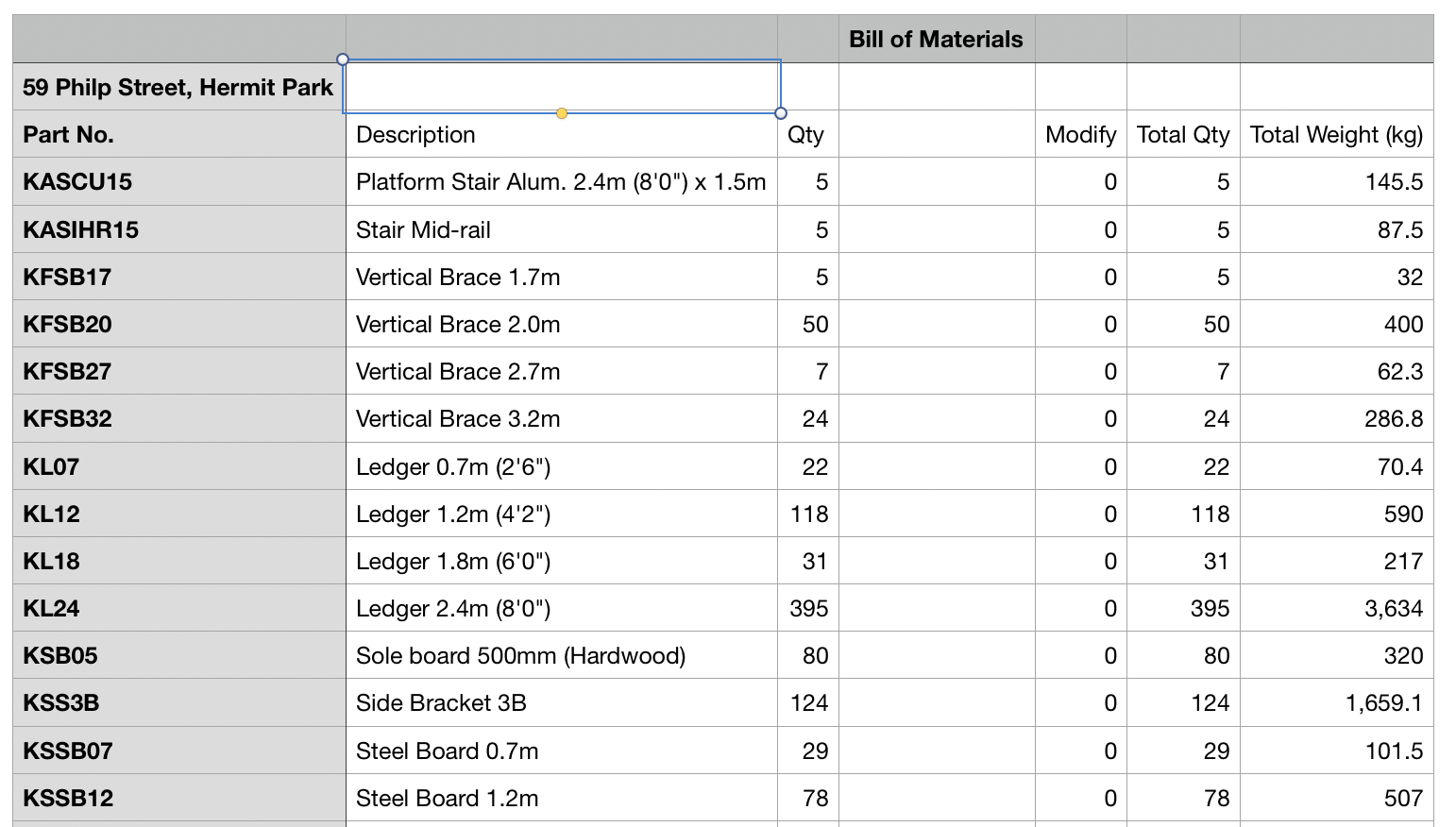
As long at the file you are importing matches this format the the system will import.