*HR: Sending Staff Induction Emails
STAFF INDUCTIONS OVERVIEW:
If you are wanting your NEW STAFF to FILL IN their details for you and provide all the certificates and copies of documentation, and you want THEM TO LOAD it then the following option might be useful...
STEPS:
1. Go to the HR
2. Go to the STAFF LIST (Active Only)
3. Search for or scroll till you FIND the Staff member you want to Induct OR set them up as a new staff member
4. Check that they have a work email and/or a personal email entered into the correct field
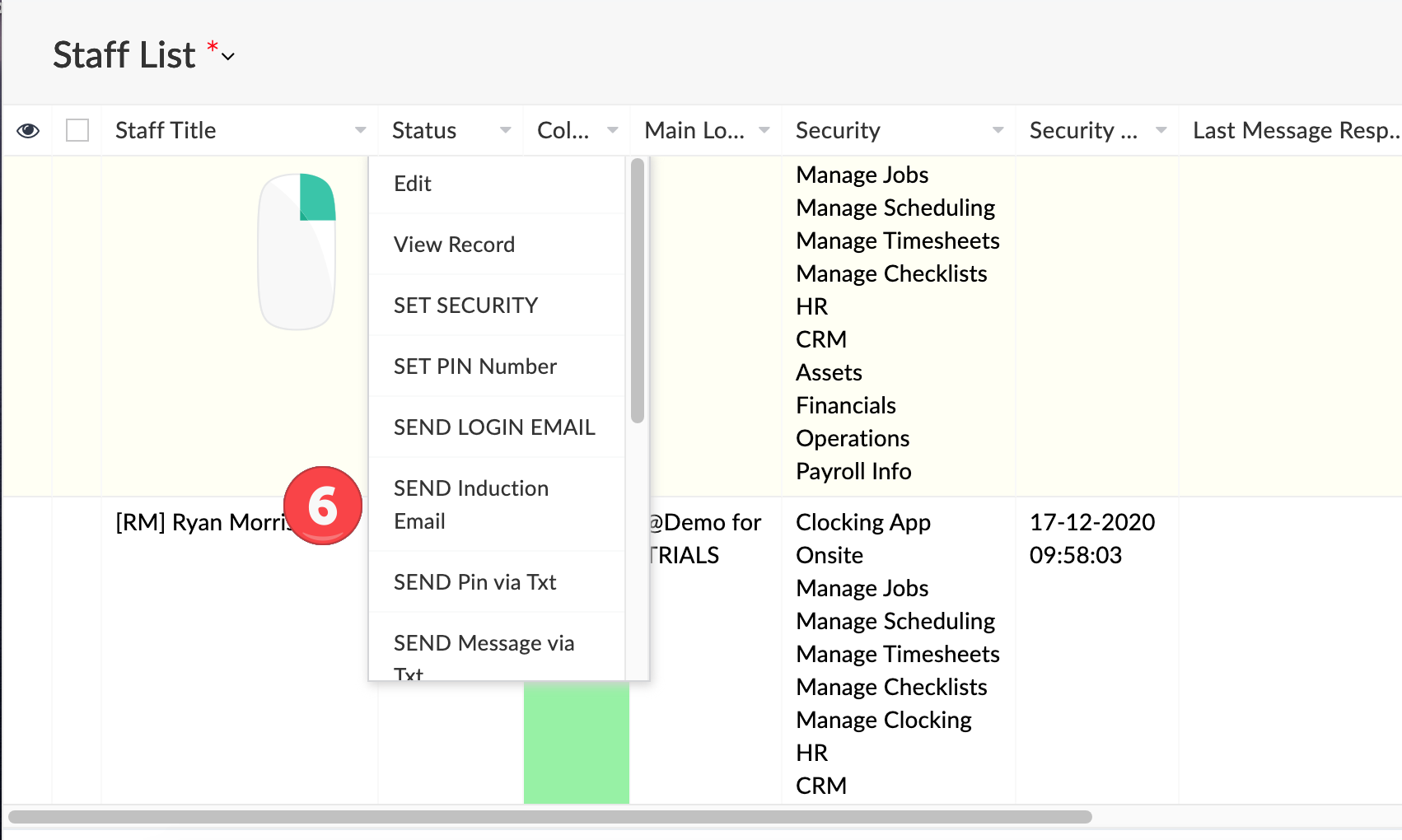
5. RIGHT-CLICK the staff member on the list
6. Select "SEND Induction Email"
7. The staff member clicks the link in the email and fills out the details and clicks UPDATE and their information will instantly be available to staff in the office.
SCREENSHOTS: