ADMIN: How to Connect Scaflog to MYOB
OVERVIEW:
This article goes over the simple steps to connect with MYOB.
STEPS:
Creating a connection to MYOB using Scaflog:
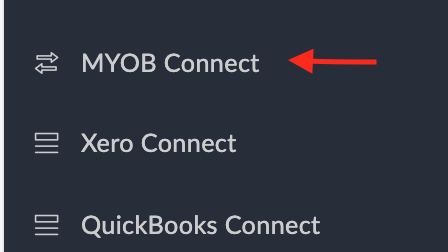
Click Admin then scroll right down (near the bottom of list) to MYOB Connect, and select.

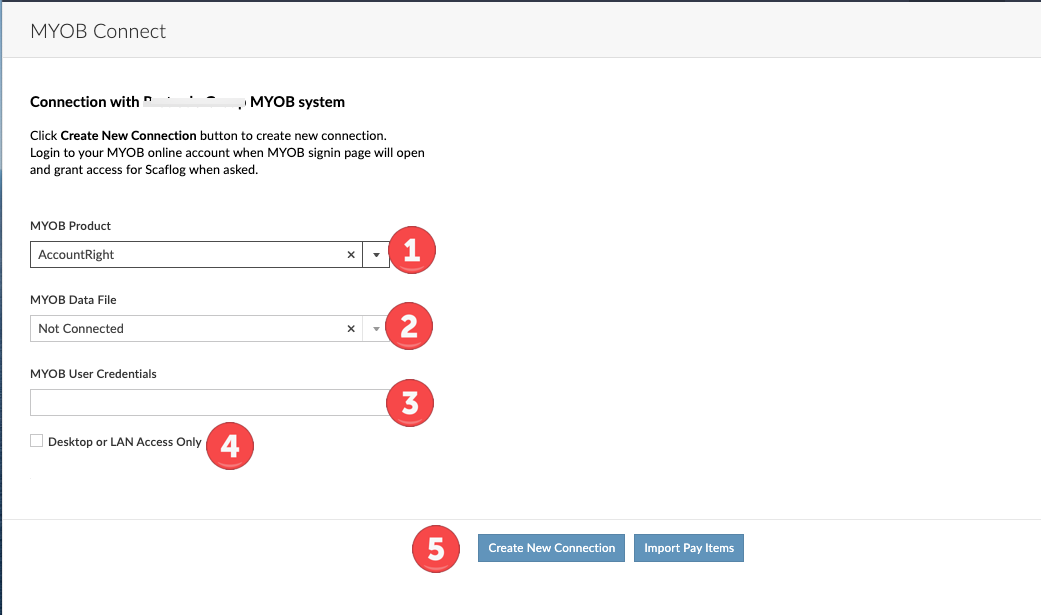
- Choose the right MYOB Product
- This will auto fill
- Add User Credentials
- Tick box if this is required
- Click Create New Connection button at the bottom to create new connection.
- Login to your MYOB online account.
- Then the MYOB sign-in page will open and you'll grant access for Scaflog when asked