Quotes - How to add a Phase Template
OVERVIEW:
Phase Templates are a VERY fast method of producing Quotes for standardised phases of work
There are 3 different methods of SAVING then USING and finally EDITING these phase templates. See below for the places phase templates are used.
1. SAVE AS while editing a Quote. This method allows you to SETUP a phase (as shown in the image) and then use the SAVE AS button to store the phase name and line items for later use.
 2. RELATED TEMPLATE. When you are SETTING UP a NEW PHASE you can select a template for loading the charge line items from the phase templates.
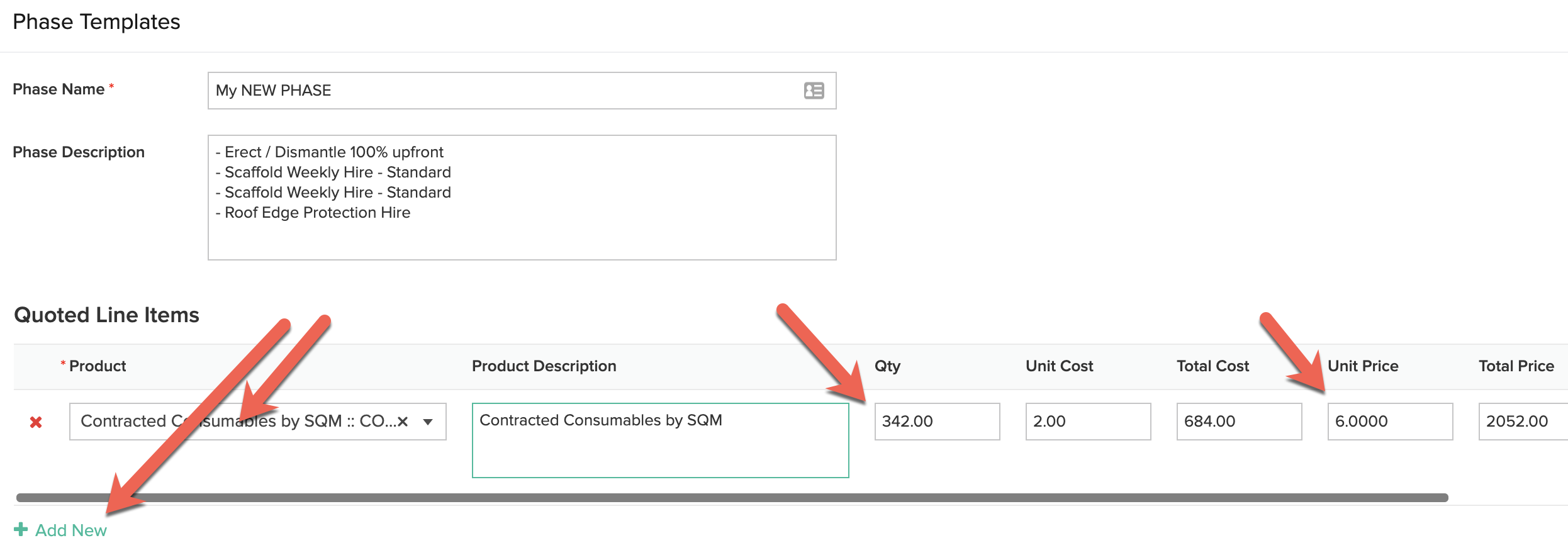
 3. EDITING PHASE TEMPLATES. Once you have some templates created with the 1.SAVE AS option (as above) you can then edit or add more phase templates to the list.
Navigate to the ADMIN MENU and select the PHASE TEMPLATES List option. You can then RIGHT CLICK and edit the phase templates and change what you would like. (see below)
 Then you can edit columns of data or ADD NEW rows