Quotes - Request for Quote Part 2
OVERVIEW: Adding a new RFQ /Job is broken down into 2 parts
1st Part: The initial request, job and client details etc. This should take no longer than 5 - 10 minutes to complete, all dependant on how much information you have at the time of the initial request.
2nd Part: Adding descriptions, charges, scope etc to build your quote that is to be sent to your client
PART 2:
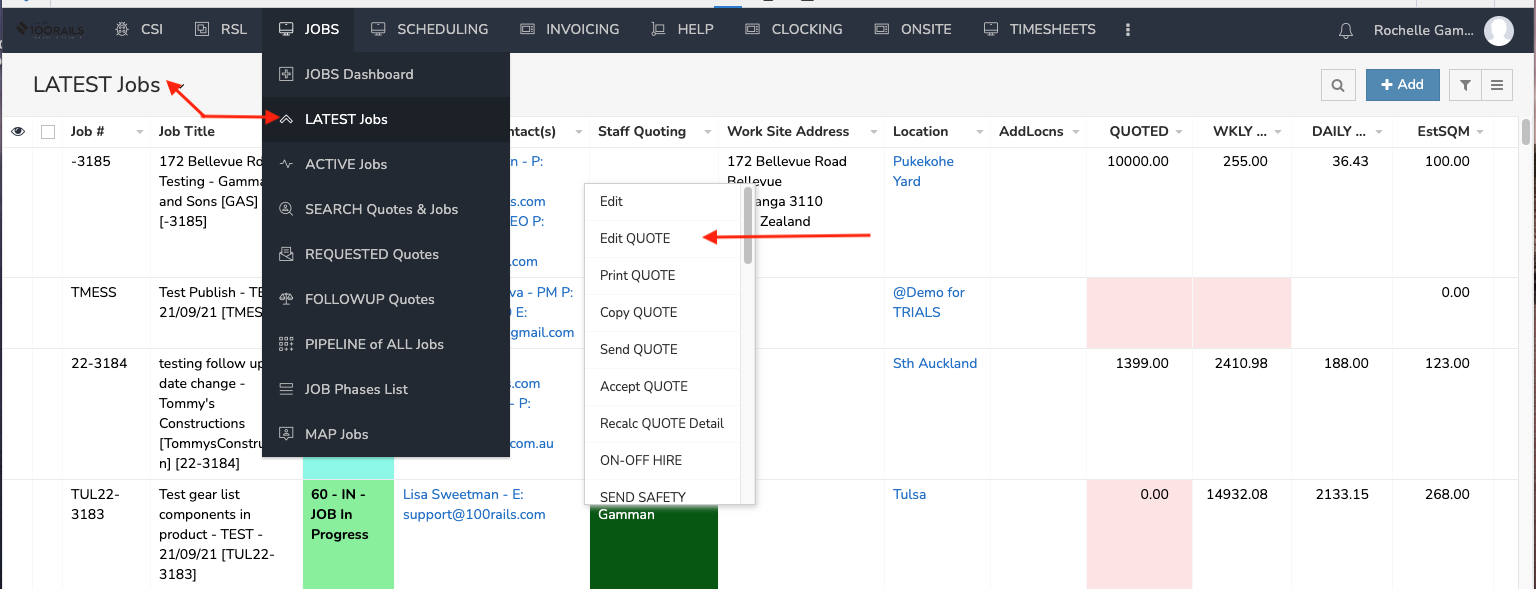
1. In the Latest Jobs Page - You will see your RFQ you have just entered in the 1st Part of entering a quote
2. Right Click and a menu will appear. Click on Edit QUOTE
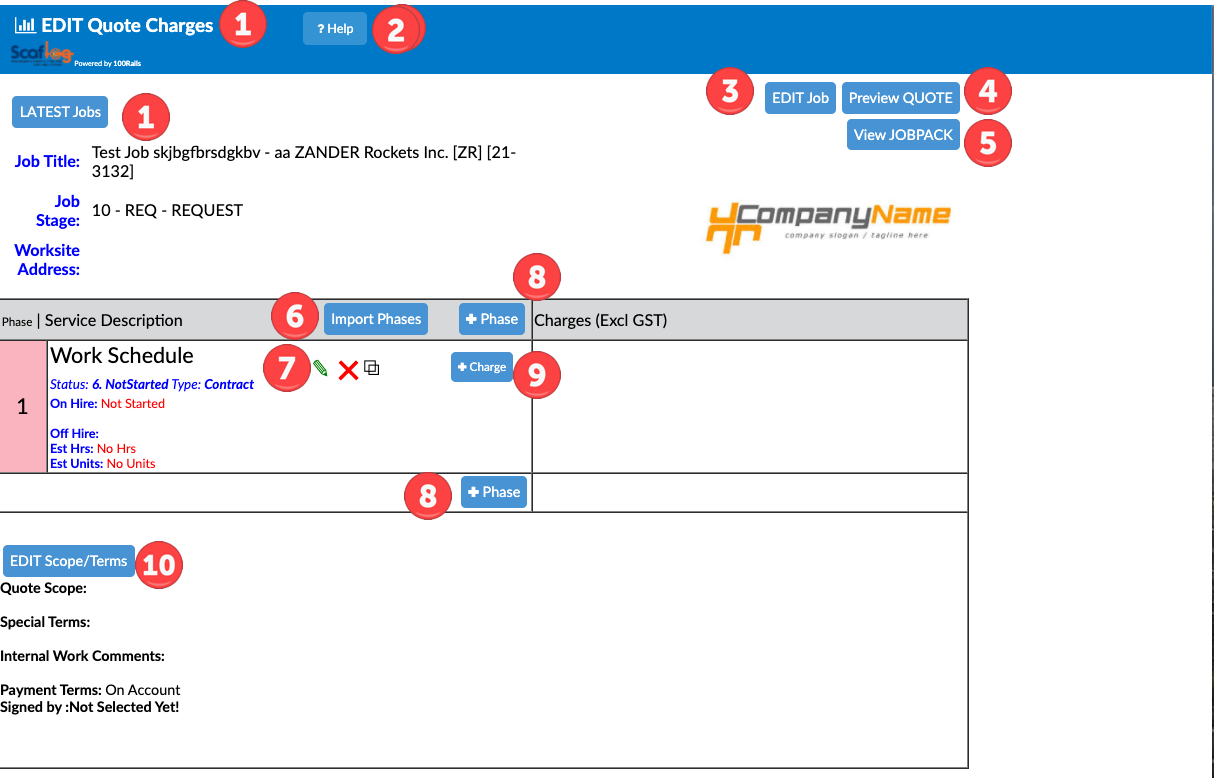
(THE NUMBERS RELATE TO AREAS IN THE PICTURE BELOW )
1: Takes you back to all your quotes
2: Help button
3: Edit Job, Takes you back to Part 1 of your quote request
4: Shows preview of what quote will look like before being sent to Client
5: Views the JobPack
6: Import Phases - Advanced setting. Most won't have this
7: The Green pencil enables you to edit the description of your phase and enter other useful information. The red X will delete entire phase. The double squares will duplicate the phase
8: To add another phase
9: This is to add your financial charges like Labour and hire etc (Note: Once you have added a product a blue Edit button will appear to enable edit of charges and red X to delete if required)
10: To add scope and terms