*ONSITE: My Dockets Orientation
OVERVIEW:
My Dockets is a direct link from the Activity you have entered into the Schedule.
It hosts a whole lot of information for the people on site to access eliminating the need for the many phone calls and texts which is sometimes required.
My Dockets is a way the people on site can fill in timesheets, add checklists, view the Job Pack, edit % Done etc.
Securities are in place so your user can access, change or be restricted from many of the options below: This is part of the Company set up, please advise the scaflog support team of your security needs for your staff.
My Dockets is found in the Onsite Menu - My Dockets
1. The user can view all Dockets assigned to them or add a docket
2. Tells you how many Dockets are on this day and how many have been completed
3. How many men have been allocated to the job
4. How many hours have been allocated to the job
5. Date of the Docket: you can go forward or back days
6. Edit % Done: This allows the user to enter the % done on the scaffold
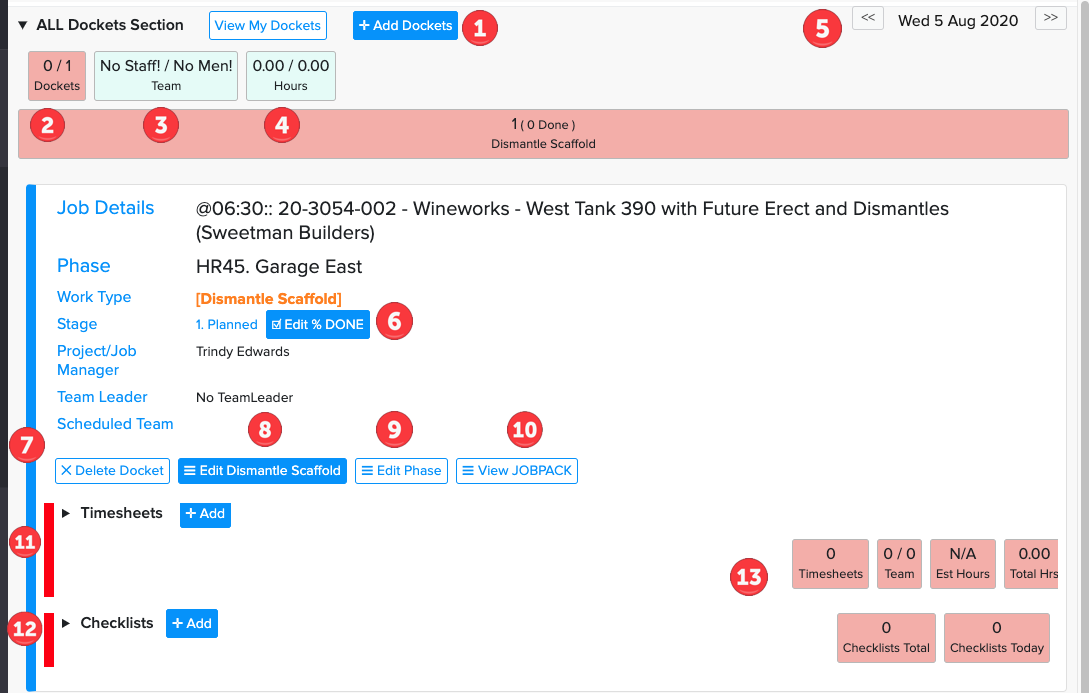
7. Delete Docket: Allows user to delete the docket
8. Edit Dismantle Scaffold: Allows user to change the calendar activity
9. Edit Phase: Allows user to edit the phase
10. View Job Pack: Allows user to view the Job Pack which holds information on the job, photos, plans etc (no financial information is stored here)
11. Timesheets: This is where the user adds his timesheets
12: Checklists: This is where the user adds Checklists for this job
13. Summary of actions that have happened once timesheet is filled out (see Filled in docket below)
After timesheets or checklists are added to the Docket:
NOTE: Once a timesheet or checklist has been entered the line down the side changes from Red to Green.
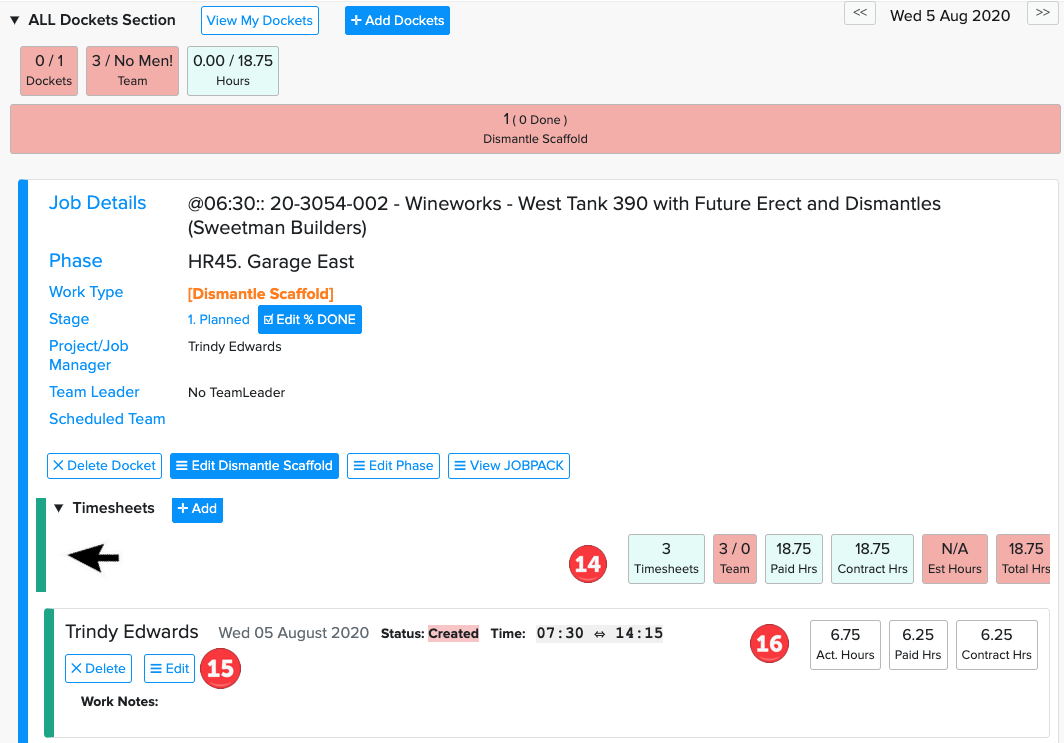
14. Shows timesheets added, hours etc
15. Edit or Delete Timesheet
16. Hours from Timesheet input