*How to set Docket as Done
OVERVIEW:
You can set the % Done through My Dockets also the Team Leader can set the job as done while onsite.This is a function that will need to be set up if you want your TL to action this.Please call support to activate this function.
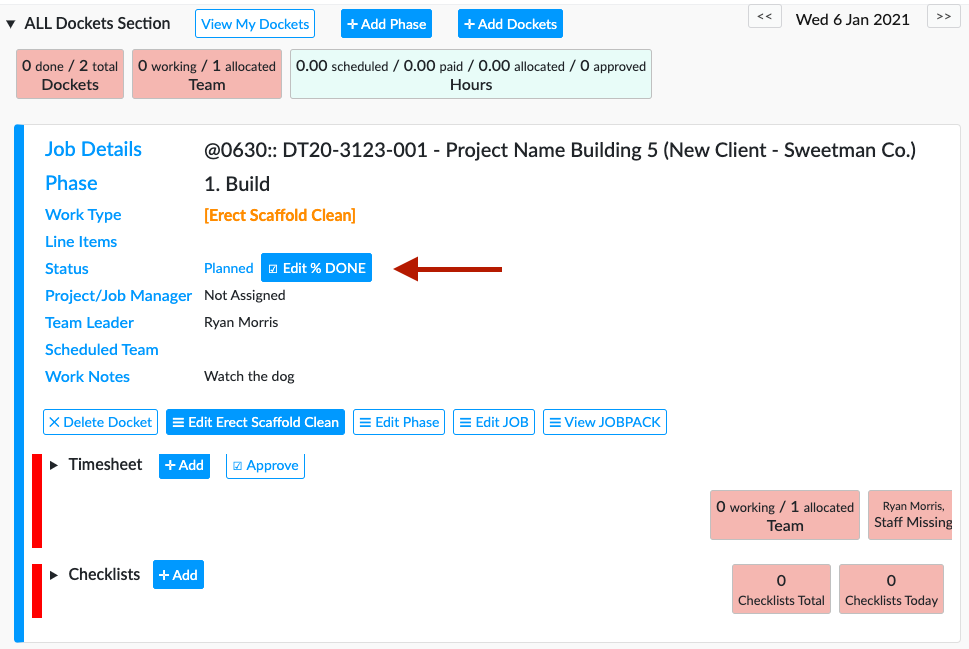
In My Dockets you will see the Edit % DONE - click here to set
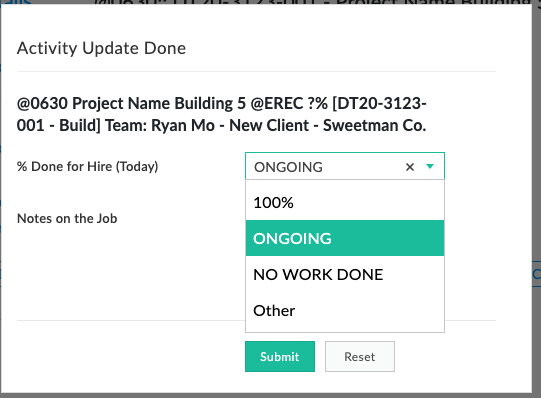
This will pop open the below window. Click which ever applies to you ,choose other to enable you to chose a % of your choice eg: 45% then press submit.
This will set your Activity/Docket as Done through Onsite - My Dockets
SETUP COMPANY DONE 100% DEFAULT:
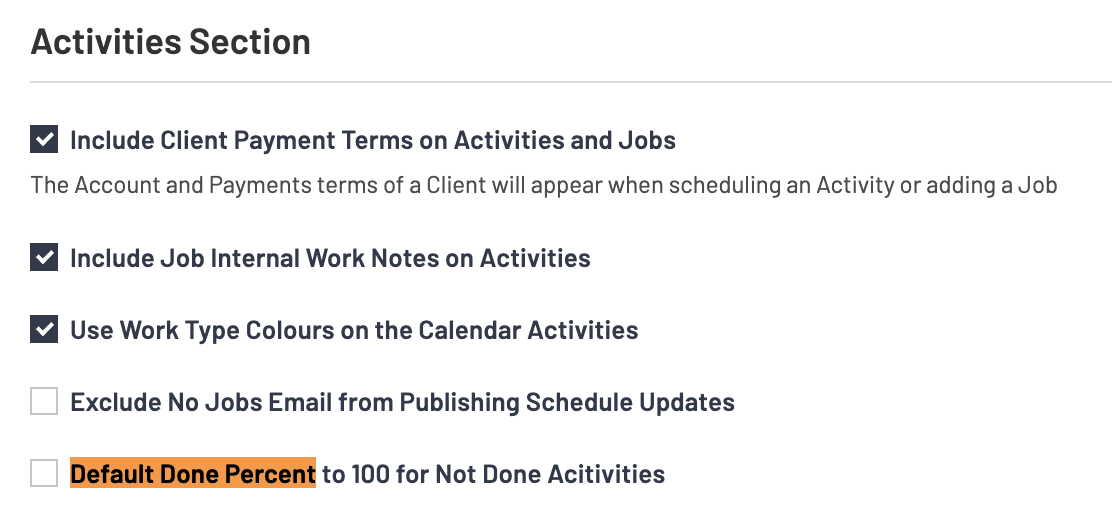
Edit the Company Data Set and go to the ACTIVITIES SECTION.
NB. Tick the Default Done Per cent to 100 option (highlighted in Orange below