Leading Hands How to add/edit a timesheet in My Dockets
OVERVIEW:
Adding and editing timesheets is a function in My Dockets for the Leading hands, If you cannot access these steps, a security change will be required. Contact your office to obtain the right securities.
How to add/edit a timesheet through "My Dockets"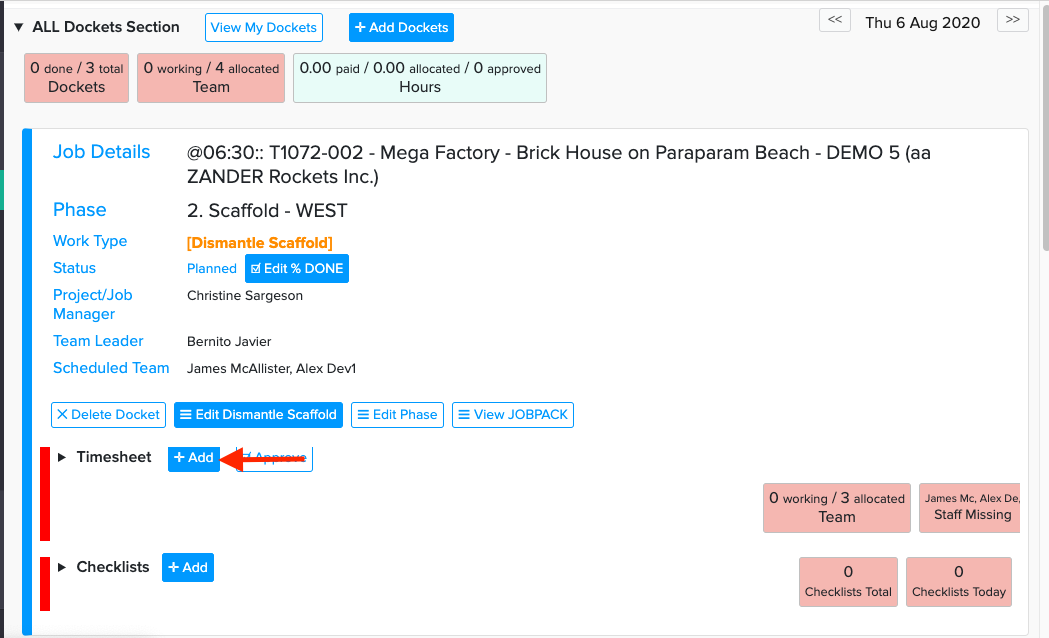
1. + Add Timesheet
2. A pop up window will then be displayed. Depending on your Company Setup you will have the option to
- Add staff
- Start and Finish time
- Lunch Breaks
- Travel Time
- Actual Hours
- Work Notes
Add all relevant details to your timesheet
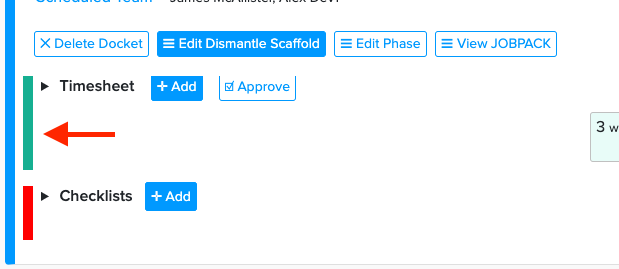
3. Remember to push Add Timesheet at the bottom of page, The line running down the side of checklists will now be green indicating timesheets have been added.
EDIT TIMESHEET: If a mistake has been made or "Bob" was late you have option of editing the timesheets
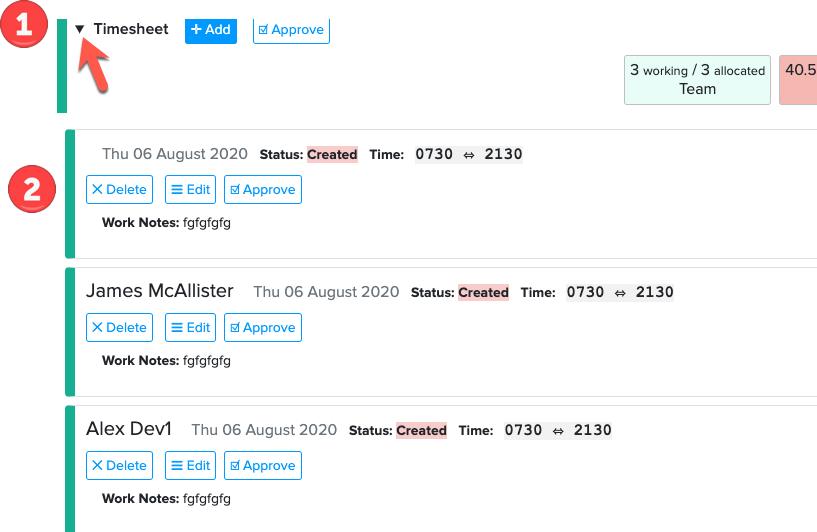
1. Click on the little arrow and this will display all the timesheets that have been entered
2. You can Delete or Edit the time sheet, Delete will delete timesheet. Clicking on Edit will "pop" open that particular persons timesheet and then you can edit the details inside as required.
3. The Approve button is for 2 person authorisation.
This is a function that needs to be set up in the Company set up. Please contact support@100rails.com if you need to discuss this further