*TIMESHEETS: Approval of timesheets by Team Leader and Manager
OVERVIEW:
There is a feature to allow the Team Leader to first approve timesheets before the Manager.
If you require 2 people to approve the timesheets before processing to payroll. Follow the below steps or email support for help at support@100rails.com.
1. Set a team leader authority to approve timesheets
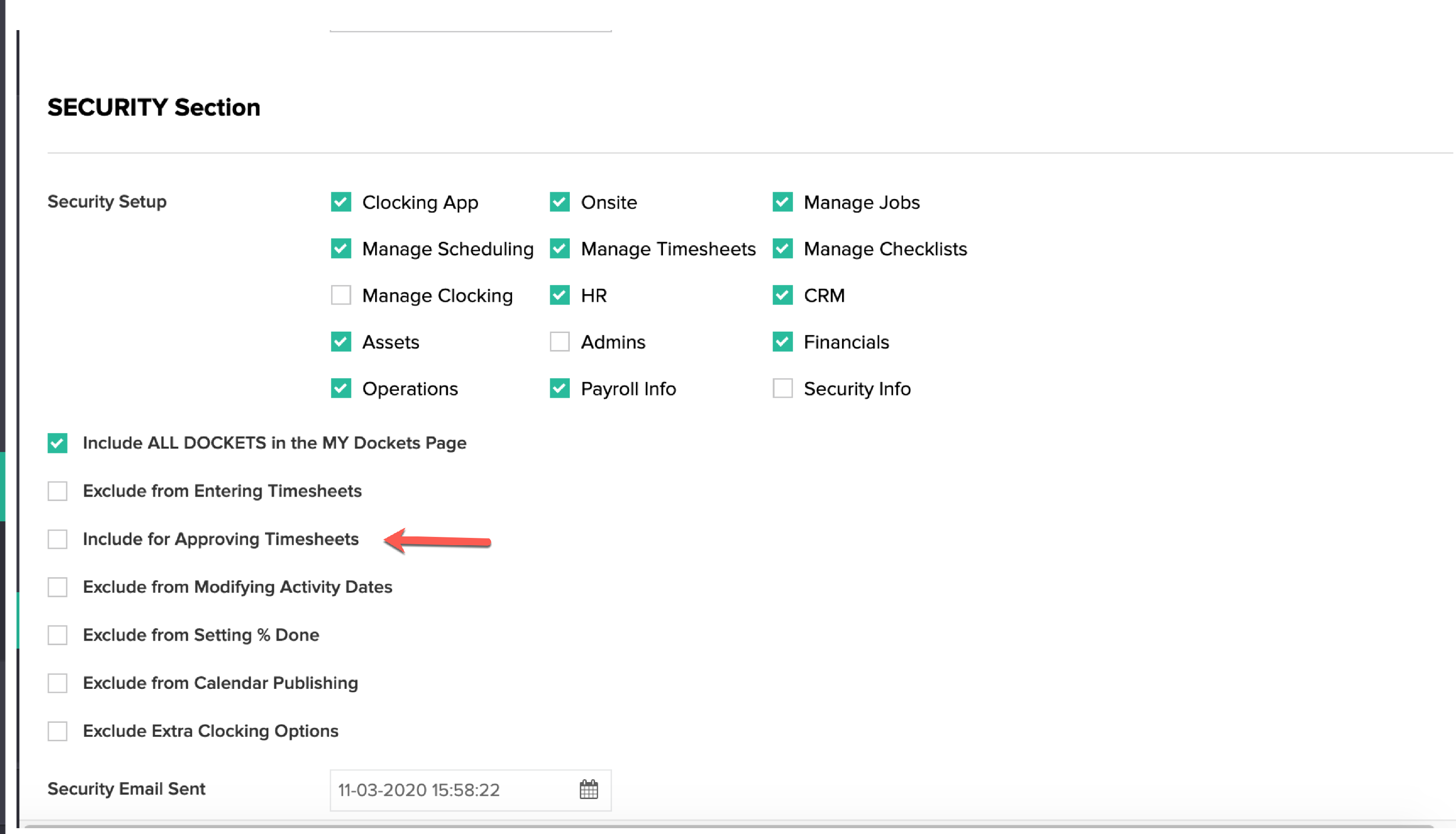
In HR Menu/Staff List (Active), click Edit then scroll to Security Section - Tick "Include for Approving Timesheets" and Update/Submit .
1. When the job is scheduled the team leader must be named inside the activity, as this is the person who will be doing the first approval of timesheets.
2. In My Dockets the the team leader will now have another box that says "Approve timesheets". Once the team leader is happy with that days timesheets he can press this button for first approval of timesheets. This will change the status to 2. Team Lead Approved.
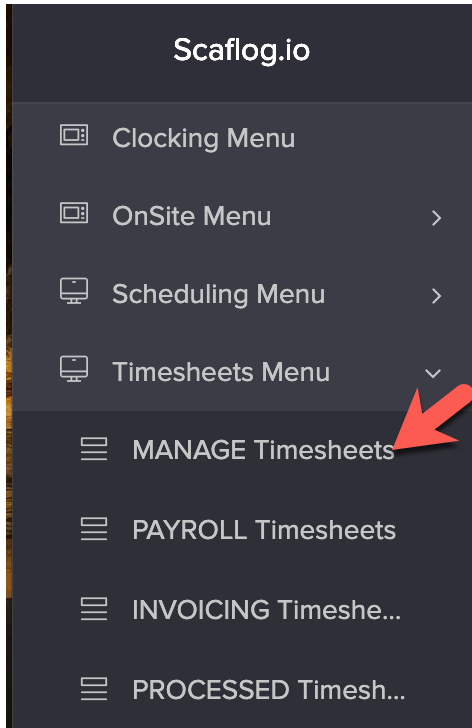
3. Manger will go into their Timesheet Menu and approve at their end, which will change the timesheet status to 3. Manager approved.
View Help Document How to approve timesheets on PC
Timesheets are now ready for Payroll processing.