*JOBS: How to Archive a Job
OVERVIEW:
To reduce the number of jobs showing in the various dropdown's and various ACTIVE job reports you can set a Job to ARCHIVED.
Below are the steps to do this in two ways:
- A. The first option is to do ONE at a TIME.
- B. The second option is to TICK MULTIPLE JOBS in one go.
A. ONE AT a TIME:
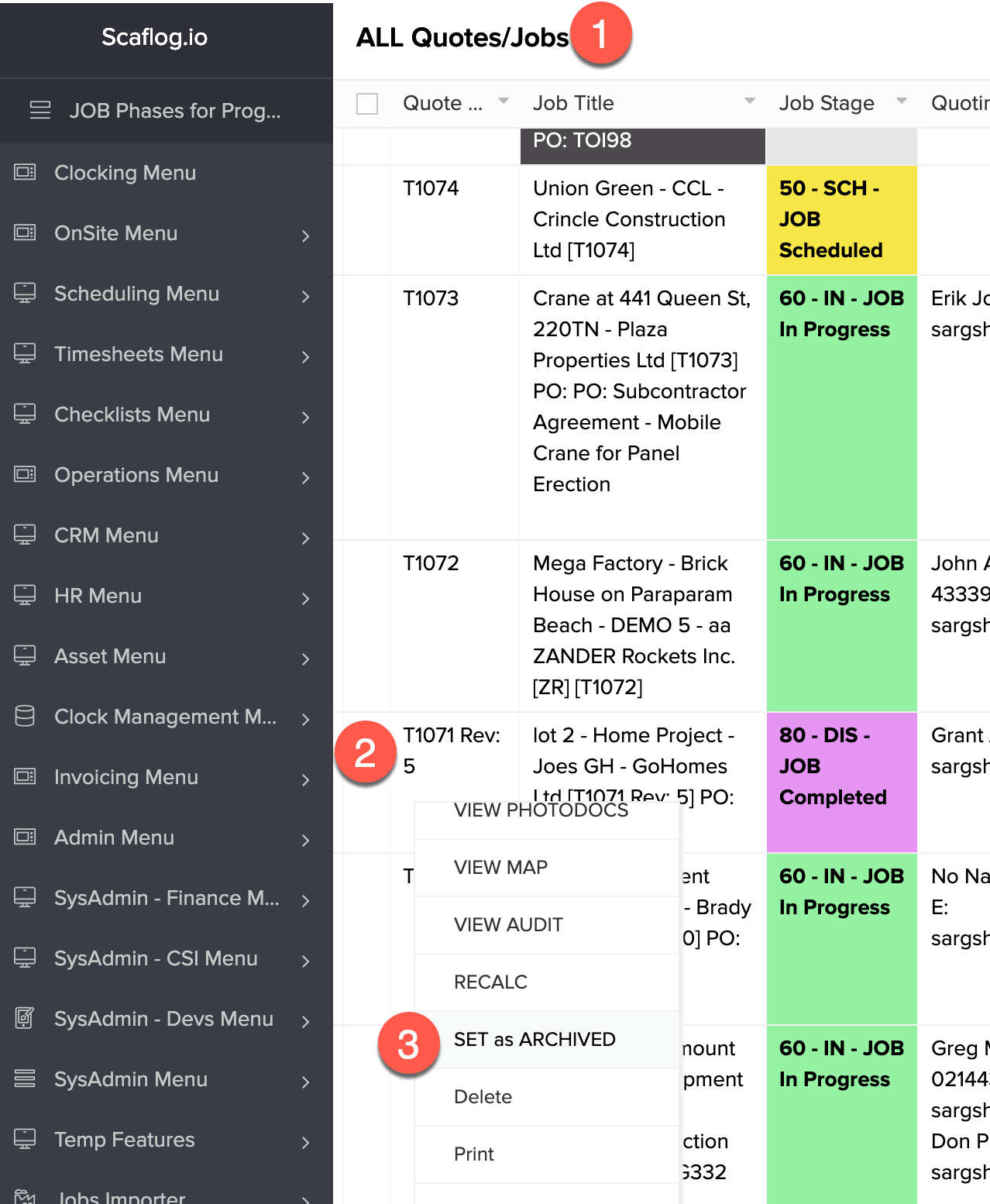
Step 1. Select the "ALL Quotes/Jobs" menu
Step 2. RIGHT CLICK on the Job
Step 3. Scroll down to the "SET to ARCHIVED" option. NB. PLEASE NOTE that once the Job is set to ARCHIVED NO FURTHER INVOICING can be completed.
SCREENSHOT:
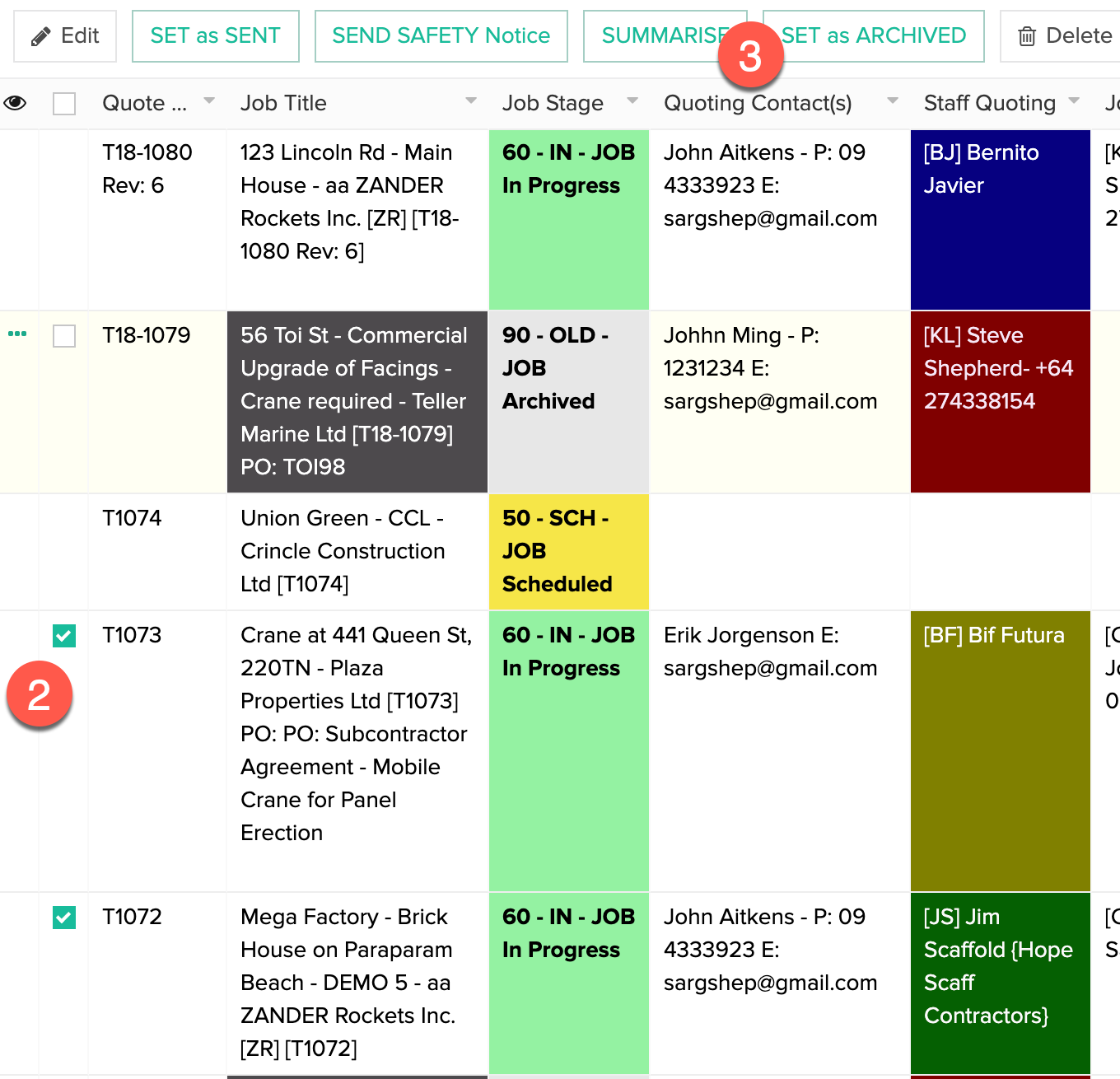
B. TICK MULTIPLE jobs AT a TIME:
Step 1. Select the "ALL Quotes/Jobs" menu
Step 2. Tick the Jobs to Archive
Step 3. Select the "SET to ARCHIVE" button at the top.
SCREENSHOT: