*ONSITE: Why can't I see the Job in My Dockets?
OVERVIEW:
Sometimes your staff member can't view a docket in their Onsite Menu/My Dockets because...
- They are not allocated to activity on the Calendar
- Not set to see all dockets when they are not a team leader
- Location settings
1. Activity on the Calendar
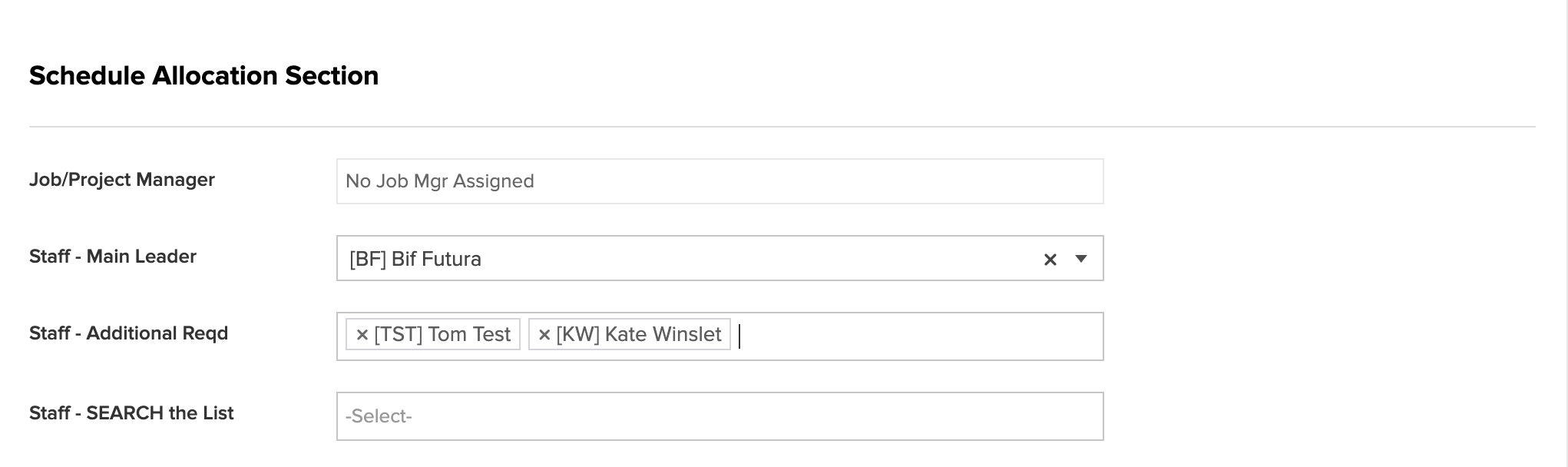
To ensure a team member (or leader) can see a Job and Activity allocated to them, they need to be set as either the team leader or extra staff inside the SCHEDULED Activity on the calendar.
1. Go to Calendar, Right click
2. Edit
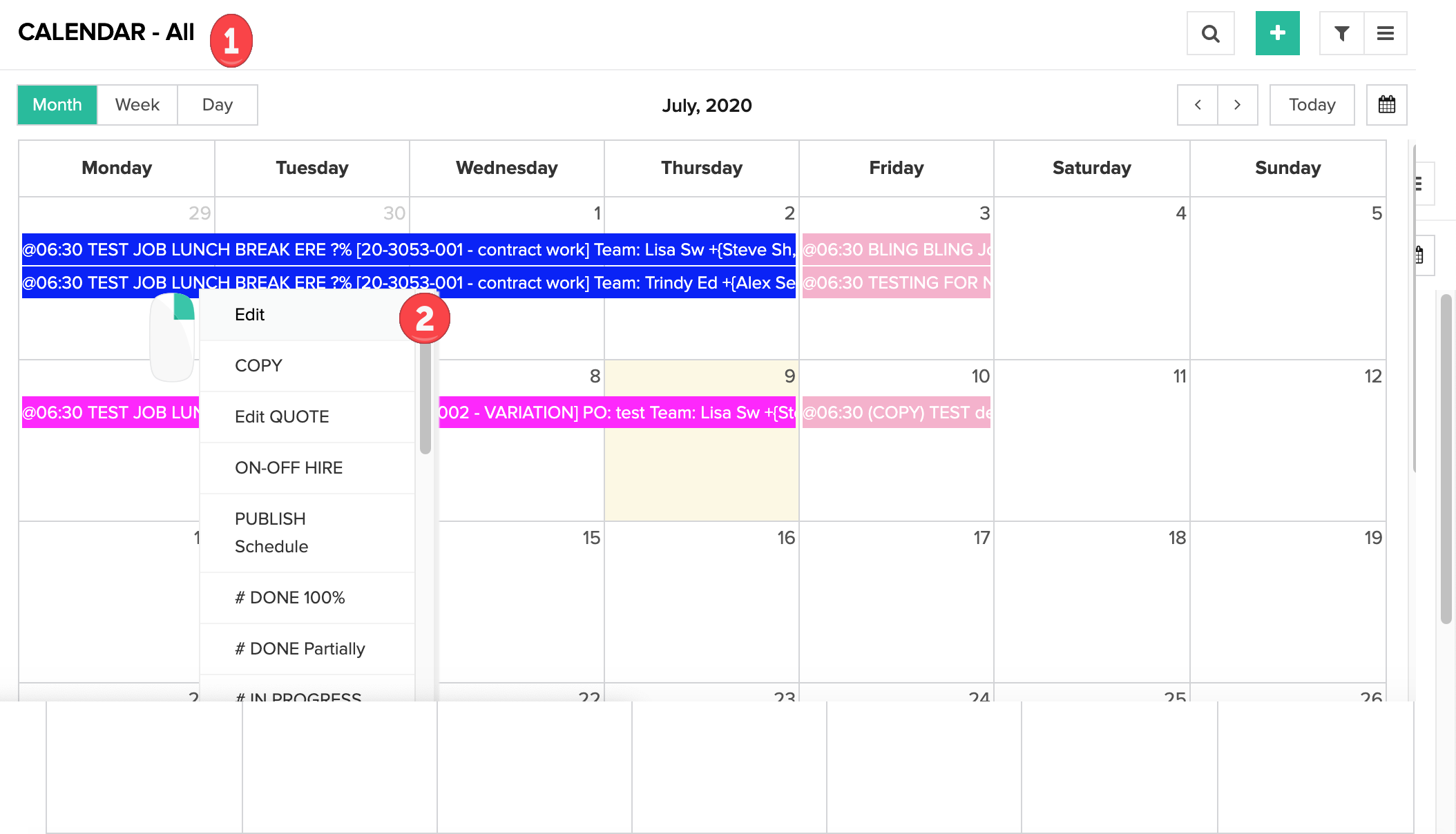
3. Allocate staff to activity, all staff allocated can now see the activity in their Onsite Menu/My Dockets
2: Not set to see All Dockets:
When setting up security access for your staff in the Staff List (Active Only), there is a tick box that will allow them to see or not see all dockets. This allows the staff member to see all dockets (usually ticked for your Team Leaders)

3. Location Settings:
When entering a request for quote: Main Location is a mandatory field
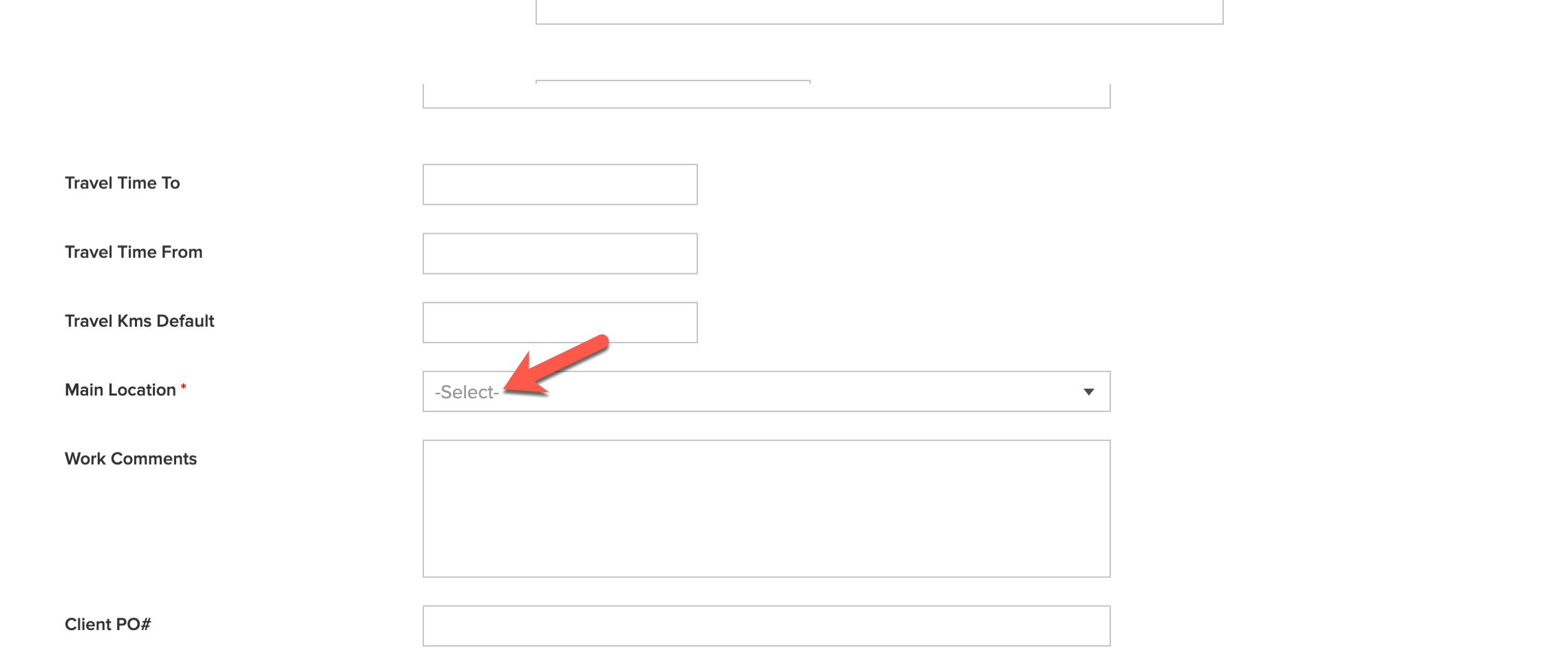
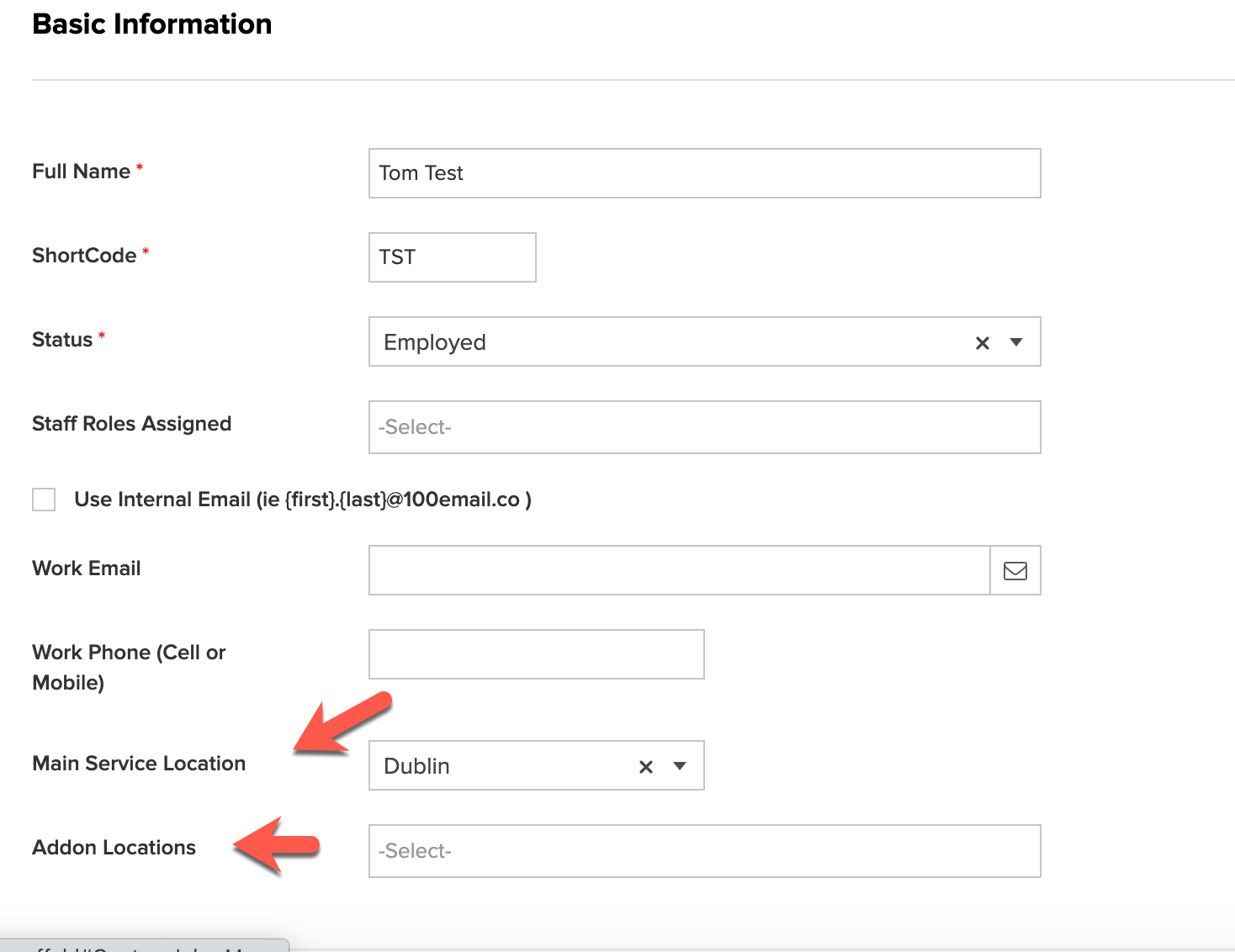
This location MUST be assigned to the the Staff Member in the HR Menu/Staff List (Active Only) so they can view all jobs at this location.
If you have more than one Location, then a staff member will have a set main location and then any subsequent locations need to be added into Addon Locations. (If they need to see anything related to those other locations)