How to Add Phases and Charges to an existing Quote/Job
OVERVIEW:
This article quickly show you where to go to add Phases or Work to an existing job in progress
See below for the steps on setting up the phases and charges.
ACTION STEPS:
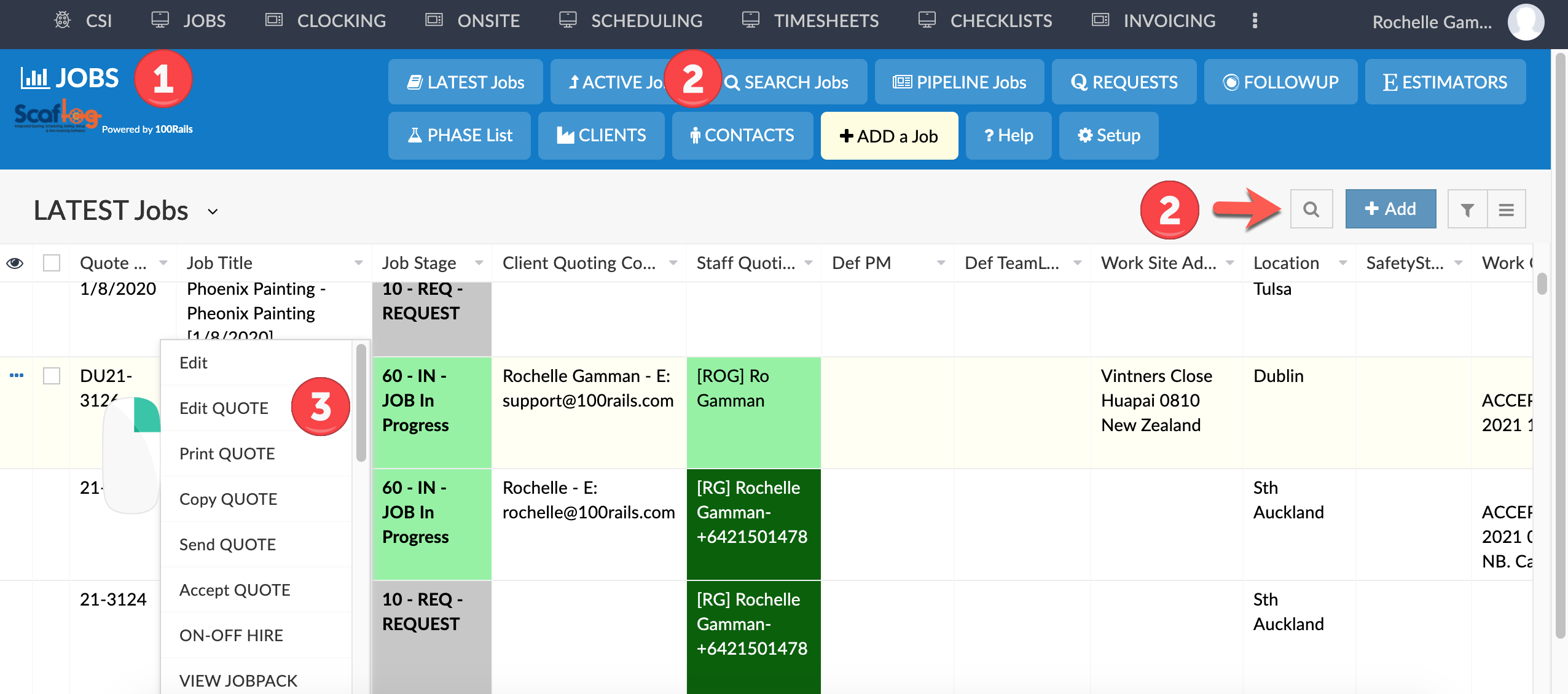
1. JOBS Screen (Latest Jobs)
2. FIND and search for the Job you want to change. NB. You can ONLY add phases and charges to a Quote/Job that has already been created.
3. RIGHT CLICK on the job to change and click the "Edit QUOTE" option from the right click menu.
4. TO ADD A PHASE Click either of the PHASE buttons
5. To ADD A CHARGE Click the "+ Charge" button.
6. To EDIT A CHARGE Click the blue "Edit" button
7. EDIT Scope/Terms Add Scope if required
SCREENSHOTS: