*HR: How to Finish and Archive a Staff Member
OVERVIEW:
You cannot delete a staff member if they have done timesheets or are on work activities in the schedule.
To remove them from your Staff List (Active Only) you need to set their employment as "finished". Here is how.
ACTION STEPS:
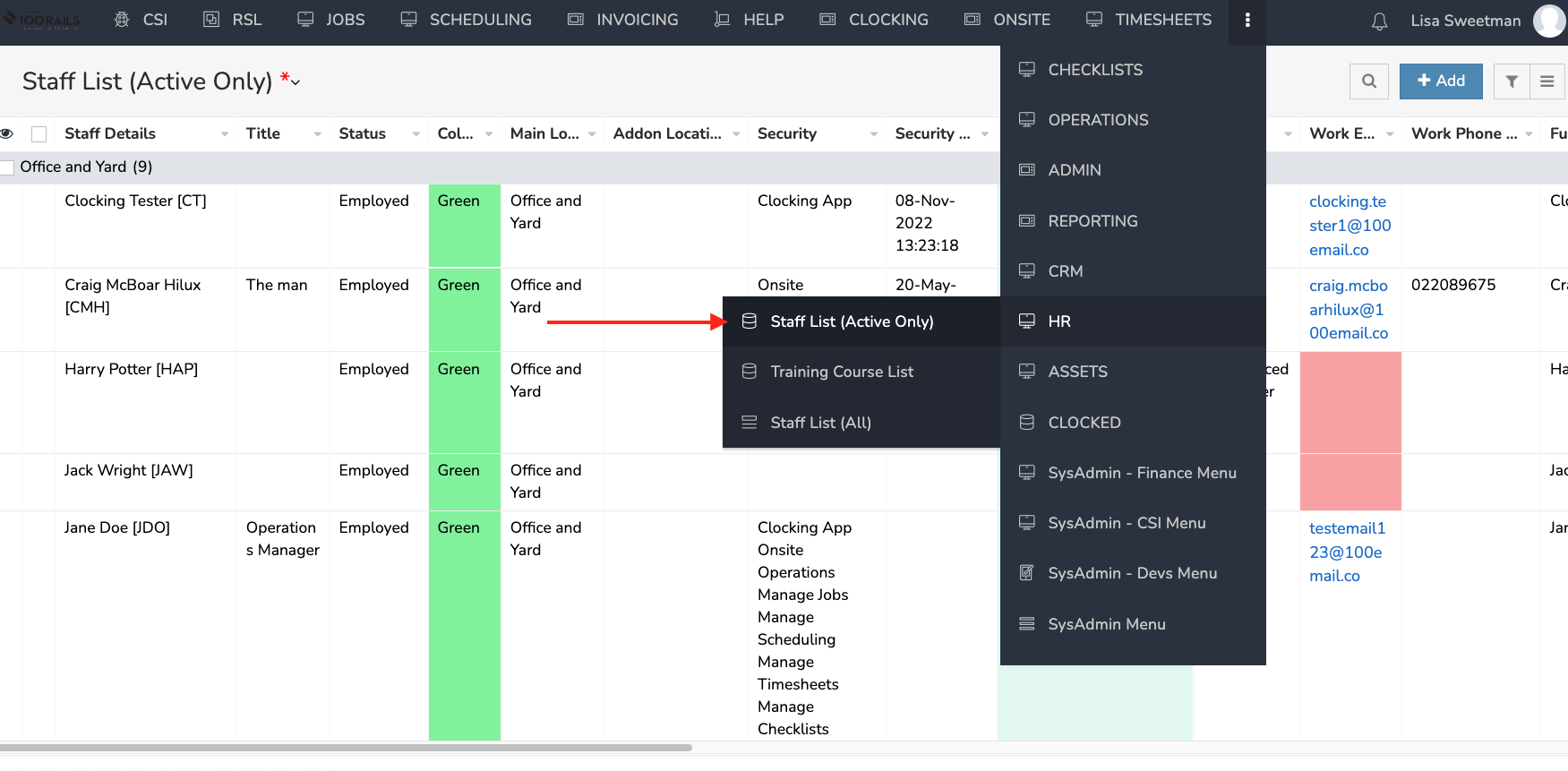
1. Go to the HR Menu - Staff List (Active Only) menu option
2. Find the staff member and "Edit" by right clicking
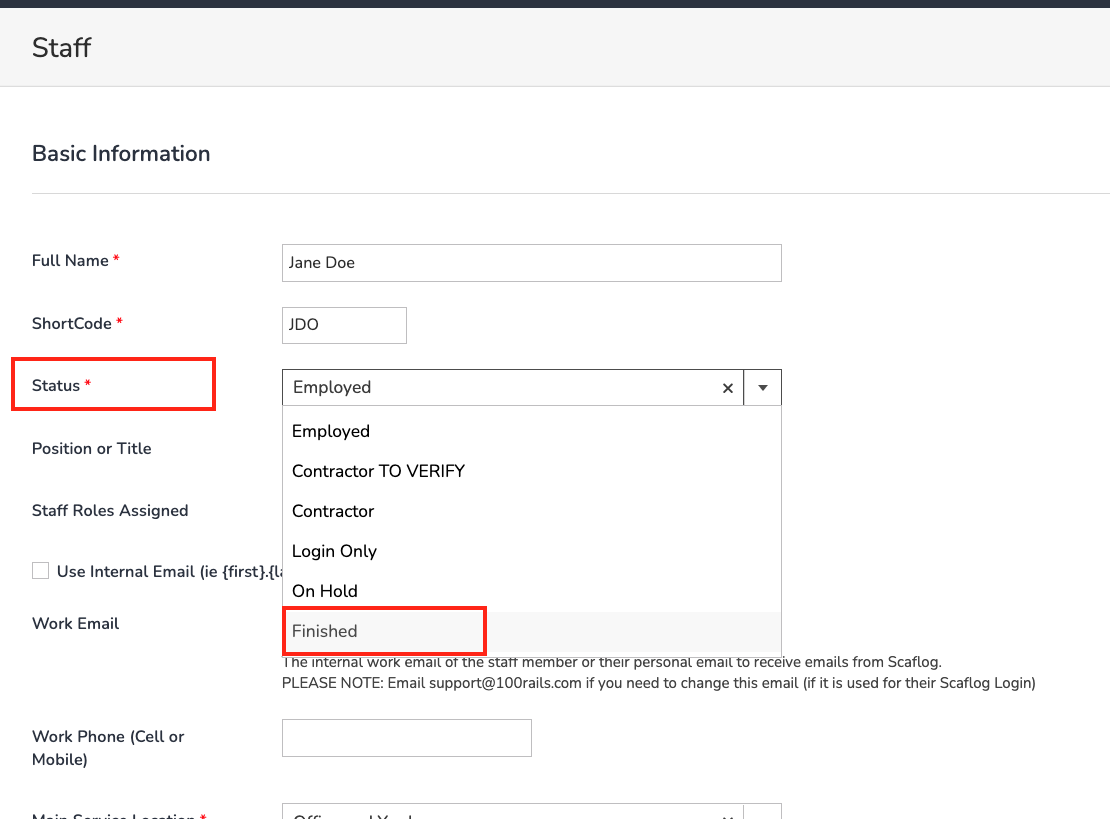
3. Set their employment status to FINISHED and click UPDATE at the bottom and they will disappear off the main list.
4. To view finished staff you can go to Staff List (All)
NB. They are still in the HR Menu - Staff List (All). The reason is we need to keep the history of them working on jobs. Sometimes staff come back and you can then simply go to the Staff List (All) and set them back to employed or contractor.
PLEASE NOTE: DO NOT DELETE EMAIL - They will have NO access to Scaflog once they have been set to finished.
SCREENSHOTS