*HR: How to Send Text Messages to Staff
OVERVIEW:
If you are wanting to send a 160 character message to your staff via Txt Message then this feature will help a lot.
Your company needs to be set up to allow this feature. Please contact support@100rails.com to arrange this.
The messages cannot be replied to at the moment but you can filter and send messages to selected staff, for example maybe you want to filter for staff who are Team Leaders and just send them a message.
Below are the action steps to access this function.
ACTION STEPS:
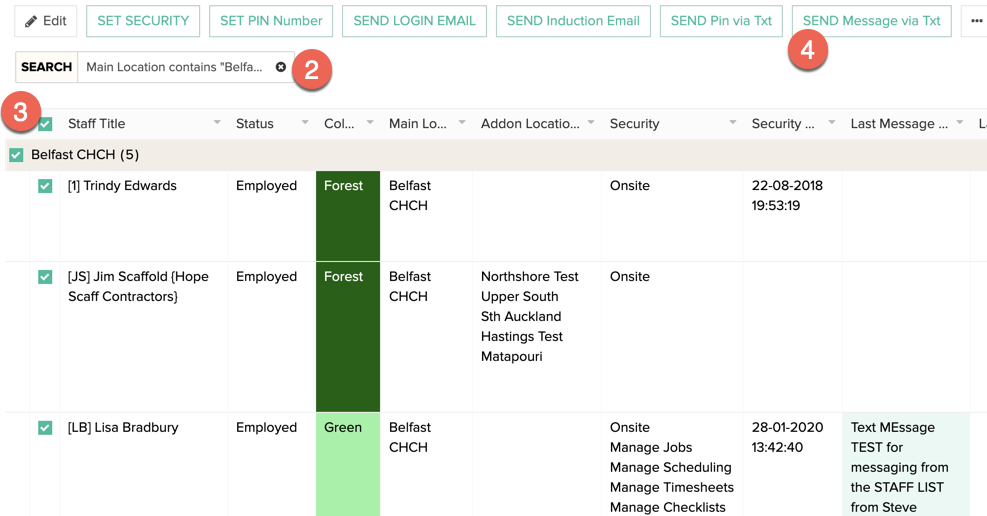
1. Select the HR MENU - Staff List menu option
2. FILTER the staff you want to select (if required)
3. TICK the staff members that you would like to send the message too
4. CLICK the SEND MSG via TXT button at the top of the screen
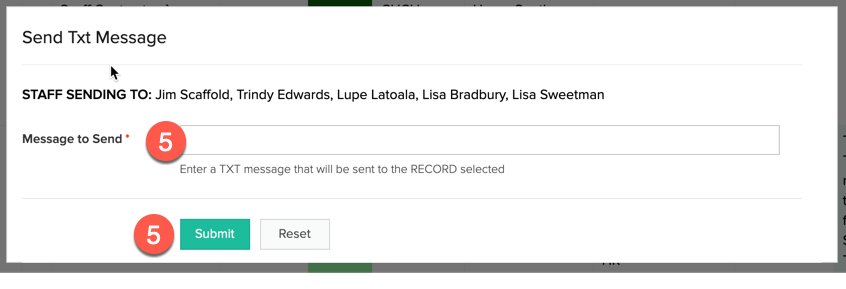
5. TYPE in your message and hit SEND
SCREENSHOTS:
TIPS:
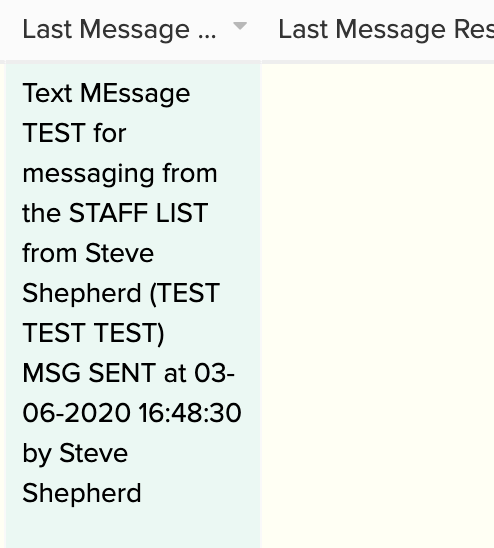
You can see the LAST MESSAGE or LAST RESPONSE from a staff member on the Staff List in the columns below: