Setting Invoice Periods
OVERVIEW:
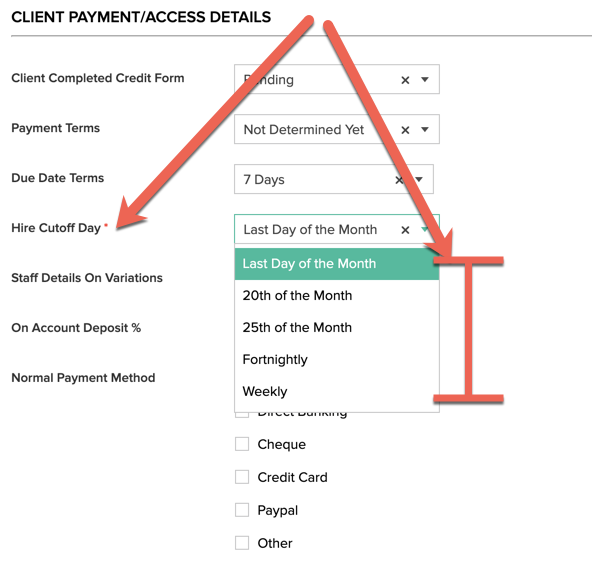
Scaflog allows you to process different hire billing cut offs for different clients.
- Each client has a field setting the Hire Cut Off Day
- Broadly they can be divided into Month, Fortnightly and Weekly periods.
- Simply set this field in a client to the cut off you require. When the system RECALCULATES Hire it will lookup this setting on each client and determine what date range will be generated for ongoing hire phases in a job.
INVOICING PERIOD SETUP
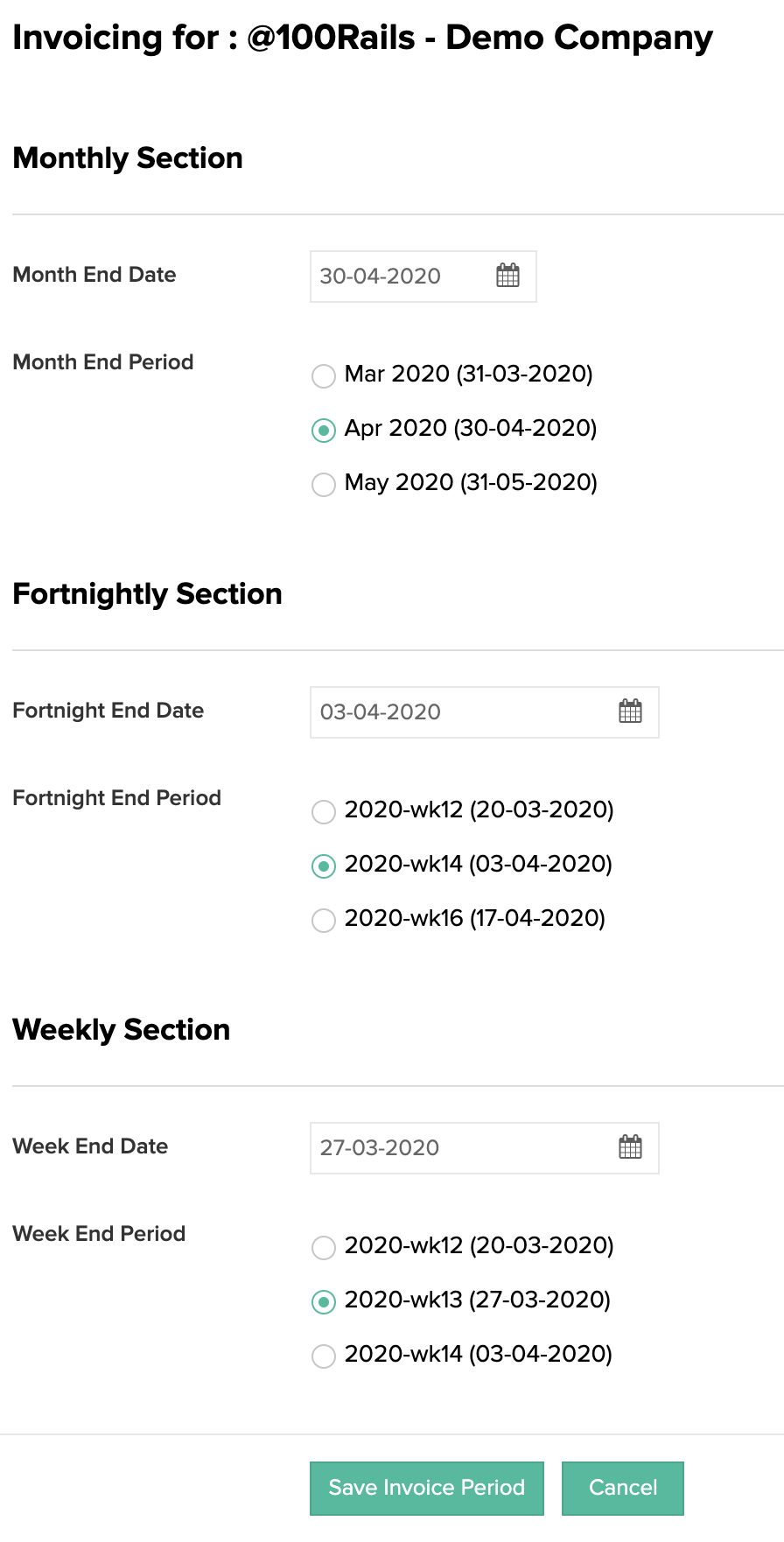
Setting which Period you are on for billing is important for auto generating invoices from the PRE INVOICING.
- Go to the Invoicing Menu
- Select the INVOICE Period menu option
- Below is a screenshot of the INVOICE PERIOD settings. The various sections ONLY APPEAR if you have clients with the monthly, fortnightly or weekly settings.
NB. Each Period can have the END date set initially , THEN it it changed via the radio button options. You can move the period forward or backwards. It only affects the HIRE date ranges that will be generated and will put the Invoice Period End date onto an Invoice that is Auto Generated.
IMPORTANT NOTES:
If you CHANGE a clients Billing Hire Cut off date you will need to go to the PRE INVOICING and filter all current HIRE for that client and RECALCULATE the hire and then delete and hire that remains that relates to a different billing period date.