Problem Editing, Previewing or Printing a Quote or Invoice - Popup Blockers
OVERVIEW:
At times we will need to open NEW WINDOWS and browser links.
The following links need to be setup in the popup blocker area:
https://creatorapp.zoho.com
https://writer.zoho.com
https://creatorapp.zohopublic.com
CHROME and MS EDGE
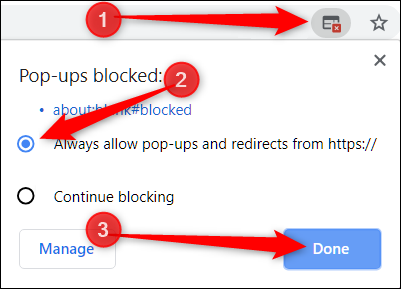
If you are using the Chrome browser then when you click the PREVIEW or PRINT or EDIT QUOTE on a Quote or Invoice the system may stop the NEW webpage tab from opening.
Below is a screenshot of what it looks like on the browser:
 You select the ALWAYS allow popups from ...... and click DONE
Then retry the PREVIEW or PRINT
SAFARI
Block or Allow All Websites by Default
- Select “Safari” > “Preferences“, then select on “Websites” at the top of the window.
- Select “Pop-up Windows” on the left side.
- Use the “When visiting other websites” drop-down menu to one of the following:
- Block and Notify
- Block
- Allow
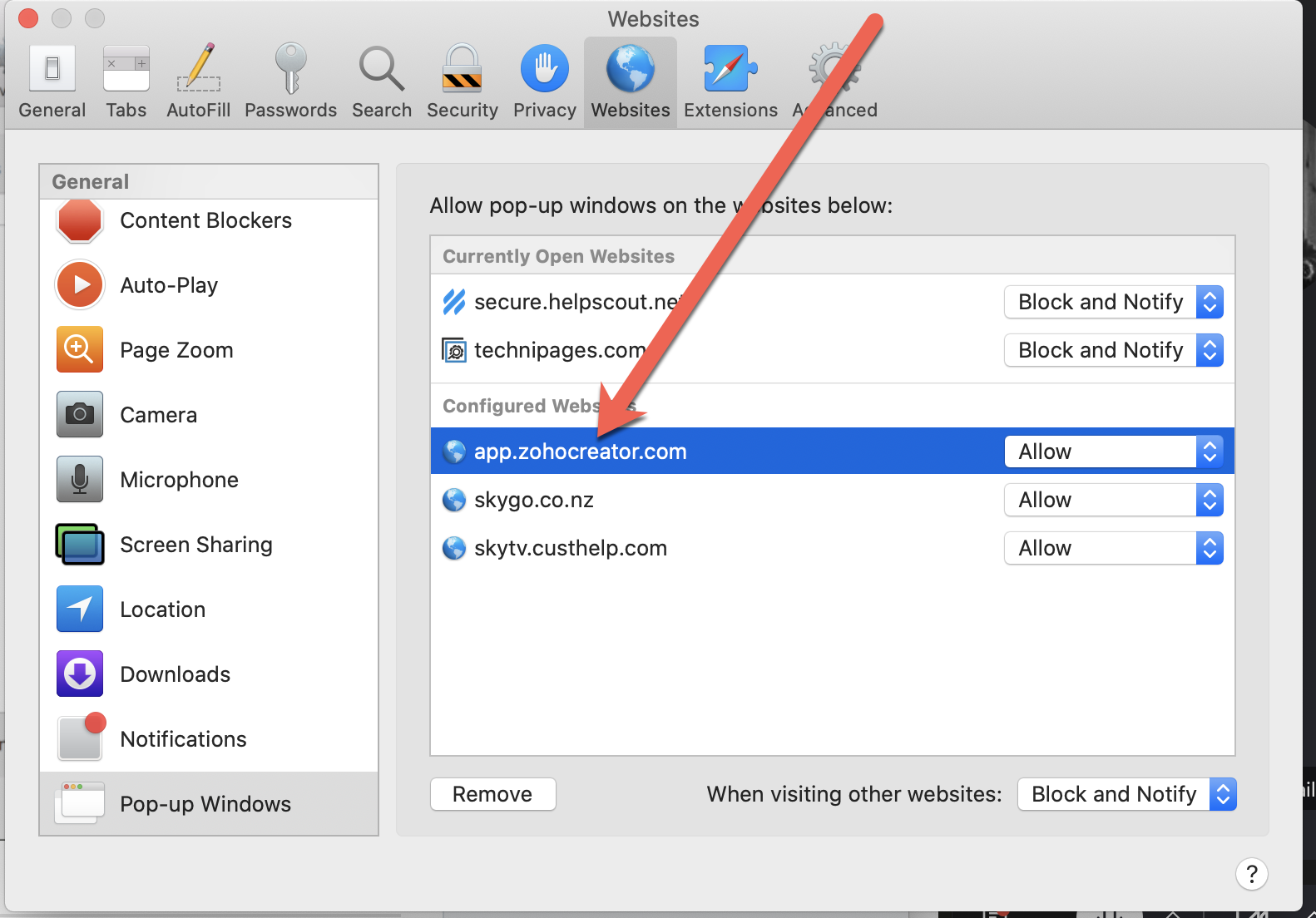
Block or Allow Single Website
- Visit the website you would like to block or allow.
- Select “Safari” > “Preferences“.
- Select on “Websites” at the top of the window.
- Select “Pop-up Windows” on the left side.
- The website should be listed where you can select a setting in the drop-down menu.
- Block and Notify
- Block
- Allow
When Safari is set to “Block and Notify”, you can allow pop-up windows right after they have been blocked by selecting the two boxes in the address bar.